

A great music video is a visual companion that deepens the emotional arc of a track. Traditionally that meant a crew, locations, and a budget most independent artists cannot justify.
On Van Gogh Studio you can tell a story that fits your sound without a film set: use Long Video for multi-scene narratives, Text/Image to Video for short cinematic cuts, and AI Music Generator when you still need an original track.
Quick Verdict
For story-driven music videos, start in Long Video: put the narrative in Creative Idea, note tempo/mood under Special Requirements (for example warm score, beat-synced pacing), set style and scene count, then generate. For single-shot lyric or atmosphere clips, use Text/Image to Video.
What You Can Build
- Multi-scene story arcs that stay visually consistent across shots (Long Video)
- Short cinematic B-roll and mood pieces synced to a release (Text/Image to Video)
- Original instrumental or vocal beds for the picture (AI Music Generator)
- Platform-ready ratios — 16:9 for YouTube visualizers, 9:16 for Shorts / Reels / TikTok
There is no separate “narrative music video maker” app—storytelling lives in Long Video and short clips in Text/Image to Video.
How to Create a Narrative Music Video on Van Gogh Studio
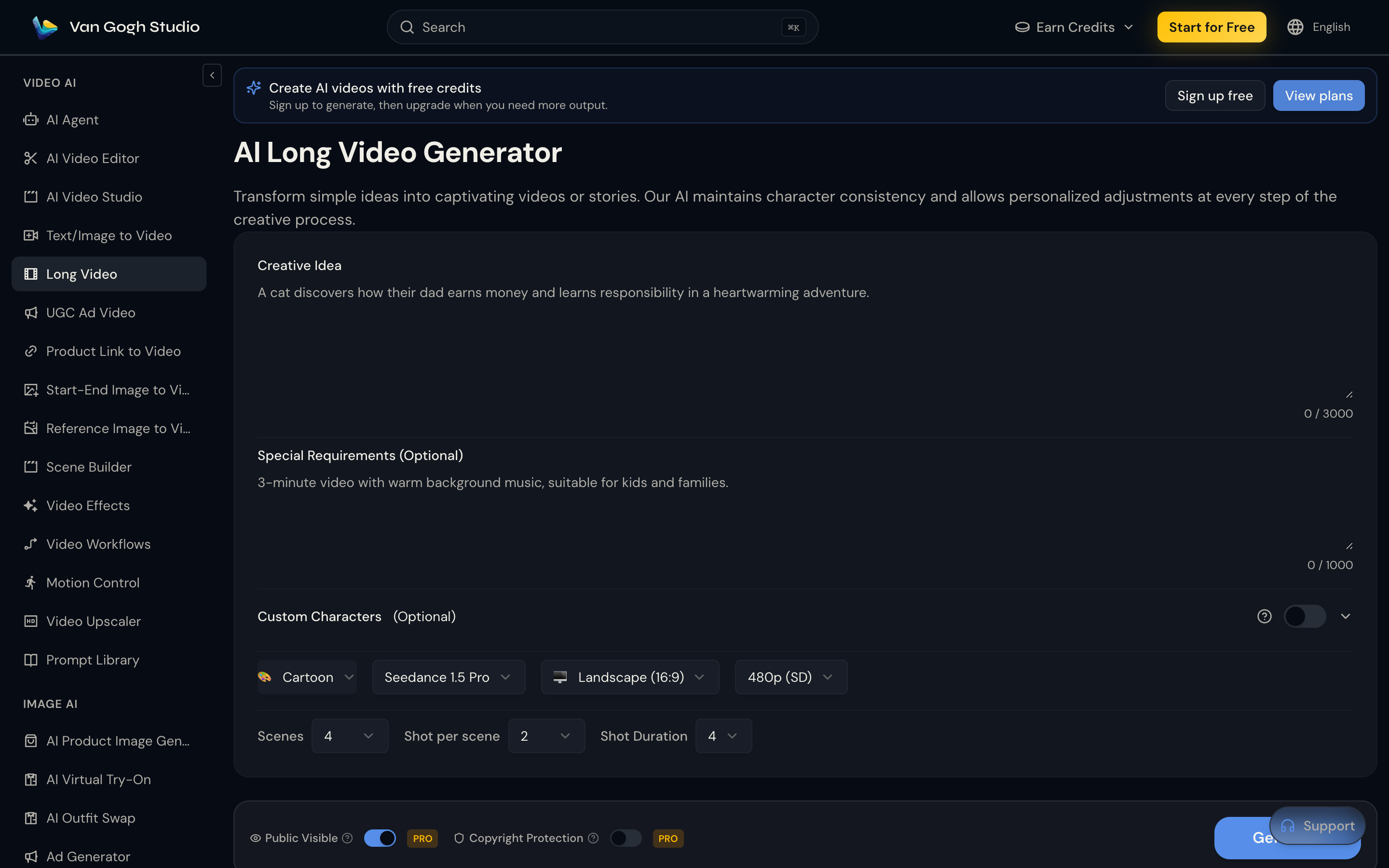
Step 1: Open Long Video and Write the Story
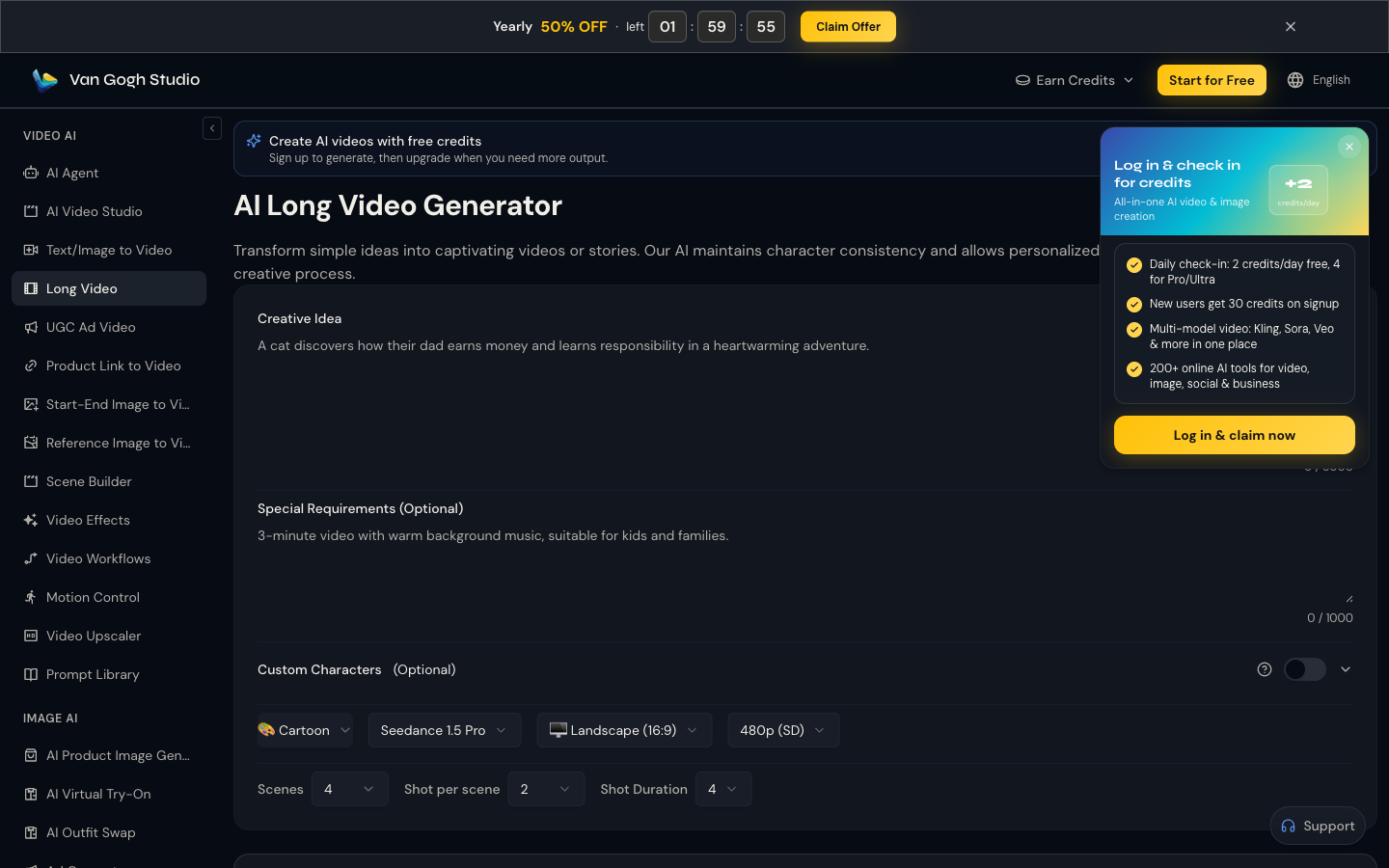
Go to Long Video (sidebar VIDEO AI → Long Video). In Creative Idea, describe the story you want the song to carry—characters, setting, emotional turn.
Example: A lone singer walks through a neon city at night, flashbacks of a broken relationship, ends on a rooftop sunrise as the chorus hits.
In Special Requirements, add music direction: warm cinematic score feel, slow push-ins on verses, faster cuts on the chorus, suitable for a 16:9 YouTube music video.
Step 2: Set Style, Ratio, Scenes, and Generate
Choose Style, Model, Aspect Ratio (Landscape 16:9 or Portrait 9:16), and Resolution. Dial Scenes, Shot per scene, and Shot Duration to match the length of your story beat. Click Generate, preview the cut, then download.
Step 3: Optional — Short Mood Clips or Original Music
Need a 5–10s hook for socials? Open Text/Image to Video, prompt the key visual (or upload a still), pick duration and ratio, then generate.
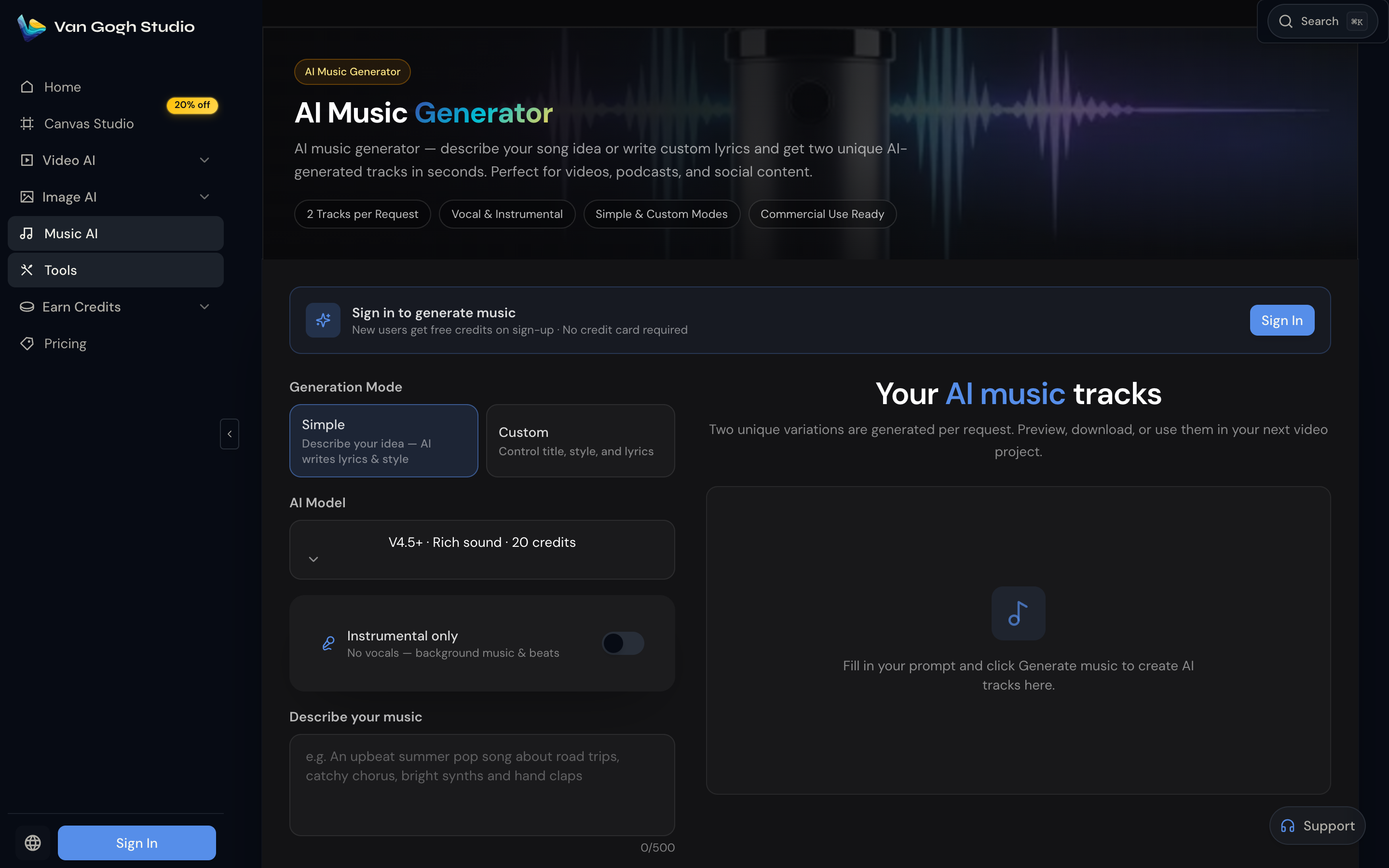
Need a track first? Use AI Music Generator—describe the song or write lyrics, generate two variations, then build the picture to match.
Who Benefits
- Independent musicians releasing without a video budget
- Lyric / visualizer creators who want a story under the text
- Social storytellers turning song snippets into complete Shorts
Related Tools
- Long Video — multi-scene story music videos
- Text/Image to Video — short cinematic cuts
- Image to Video — animate a still or cover frame
- AI Music Generator — original tracks
- AI Agent — chat-guided full workflows
Summary
Tell the story in Long Video, cut short hooks in Text/Image to Video, and score with AI Music Generator when needed. Open Van Gogh Studio and ship the next narrative music video without a film crew.
Create AI videos free
Try Van Gogh Studio free — text-to-video, image-to-video, and 300+ models in one place. Free credits on signup, no credit card required.
Try Free Video Generator


