

Kling AI is not limited to China anymore and it is available globally now for any public users.
As a bonus, we’ll also answer some FAQs at the end. But how to get access to Kling AI exactly? In this detailed guide, we’ll reveal you how to get access to Kling AI (with steps and images) through 3 different approaches. Let’s get started!
How to Get Access to Kling AI
You can access it in 3 main ways: official website, downloading its app, or using it through Van Gogh Studio. Let’s look at them in details:
Access Kling AI on its Official Website
One of the easiest ways to use Kling AI is through its website. Here’s how you can do it:
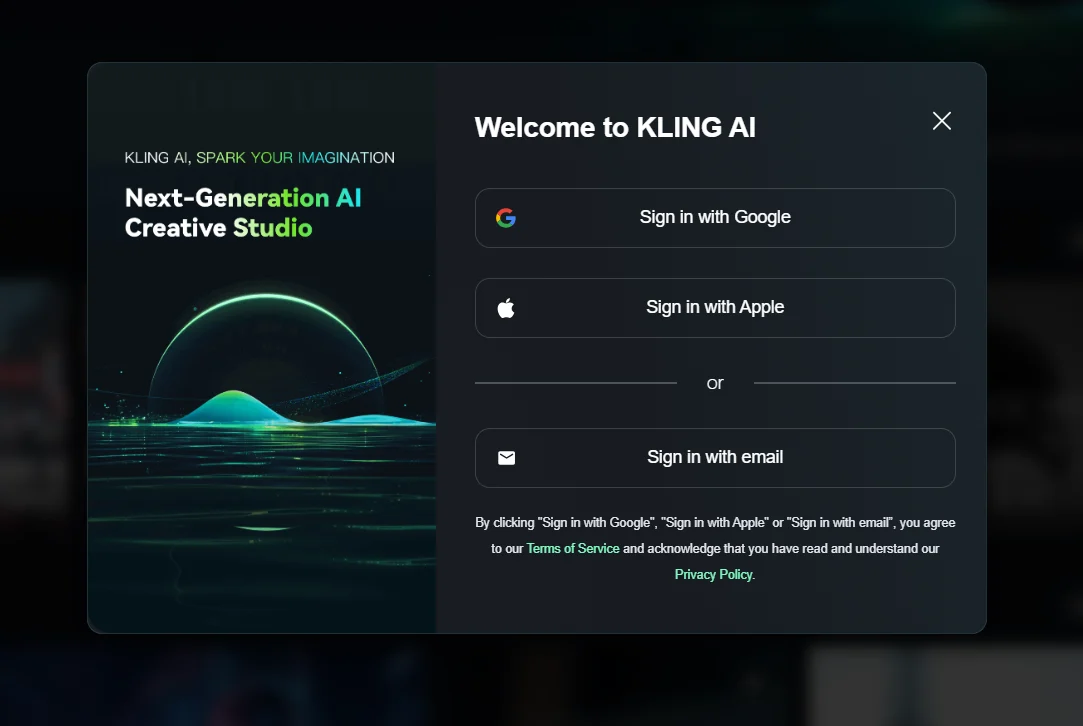
Pay a visit to the Kling AI website. If you already have an account, directly sign in through Google, Apple or an email. After this process, you are free to explore its functions. Otherwise, you should sign up for a new account with an email address and a solid code.
Use the Kling AI Mobile App
Here is how to get access to Kling AI through its mobile application:
1. Download the App: For example, you can search for Kling AI in the App Store of Apple or Google Play and directly download its application.
2. Set Up Your Account: When you open the app, you’ll require to log in or create an account. Then you can get access to Kling AI’s features on your mobile phone. Sign up using your mobile number or social media accounts.
Use Kling AI Through Van Gogh Studio
It’s speedy, user-friendly, and designed for everyone. The best way to access Kling AI is via Van Gogh Studio. You can directly select different Kling AI models to convert images into video. If you want high-quality videos without complexity, Van Gogh Studio will be the one to opt for.
To support with all kinds of creative generation needs, it offers these Kling AI models:
- Kling 1.0: This is the quite first version. It’s perfect for creating basic videos. If you’re just starting, Kling 1.0 is a strong place to begin.
- Kling 1.5: This version is a step up from 1.0. It provides higher resolution and comes with additional advanced features for better results.
- Kling 1.6: The 1.6 model understands text prompts better and creates visuals with improved effects.
- Kling 2.0: This latest model features enhanced character motion dynamics, greater visual quality, with additional efficient generation ability.
Besides Kling AI, you can also get access to other top video models such as Runway, Hailuo AI, PixVerse AI, Vidu AI and much greater.
Moreover, a lot of people appreciate its video effects. With these interesting AI video effects, you can begin to create any fun videos based on your uploaded images.
To sum up, you can definitely test out all of the Kling AI models in Van Gogh Studio, and with a greater fluid, seamless creation experience without any common generation issues.
Conclusion
The reason primary people prefer it is that it supports all of the Kling AI’s models with other powerful features without any generation problems. All in all, you can access Kling AI in three ways: via its official website, via its application, and via Van Gogh Studio. Each method is simple, but the best of all is through Van Gogh Studio.
Therefore, Van Gogh Studio is a must-experiment with for anyone looking to create visual content smarter and faster.
Create AI videos free
Try Van Gogh Studio free — text-to-video, image-to-video, and 300+ models in one place. Free credits on signup, no credit card required.
Try Free Video Generator


