

Tired of writing scripts, hiring crews, and planning product shoots?
With Van Gogh Studio’s Product Link to Video tool, you can paste a product or landing-page URL, let AI scrape the page, draft short-form ad scripts, and render vertical videos with avatars.
Quick Verdict

Product Link to Video is the fastest Van Gogh Studio path from a live product page to a short ad: paste the URL, scrape & review content, pick scripts and an avatar, then generate. Pair it with UGC Ad Video when you already have a strong product still and want a creator-style clip instead.
Common Video Ad Mistakes
- Weak opening hook — waste the first seconds on slow intros
- Unclear value — viewers never learn “what’s in it for me”
- No CTA — forget to say what to do next
- Too many messages — one ad, one core offer
From Product URLs to Video Ads: Step-by-Step
Step 1: Open Product Link to Video and Paste Your URL
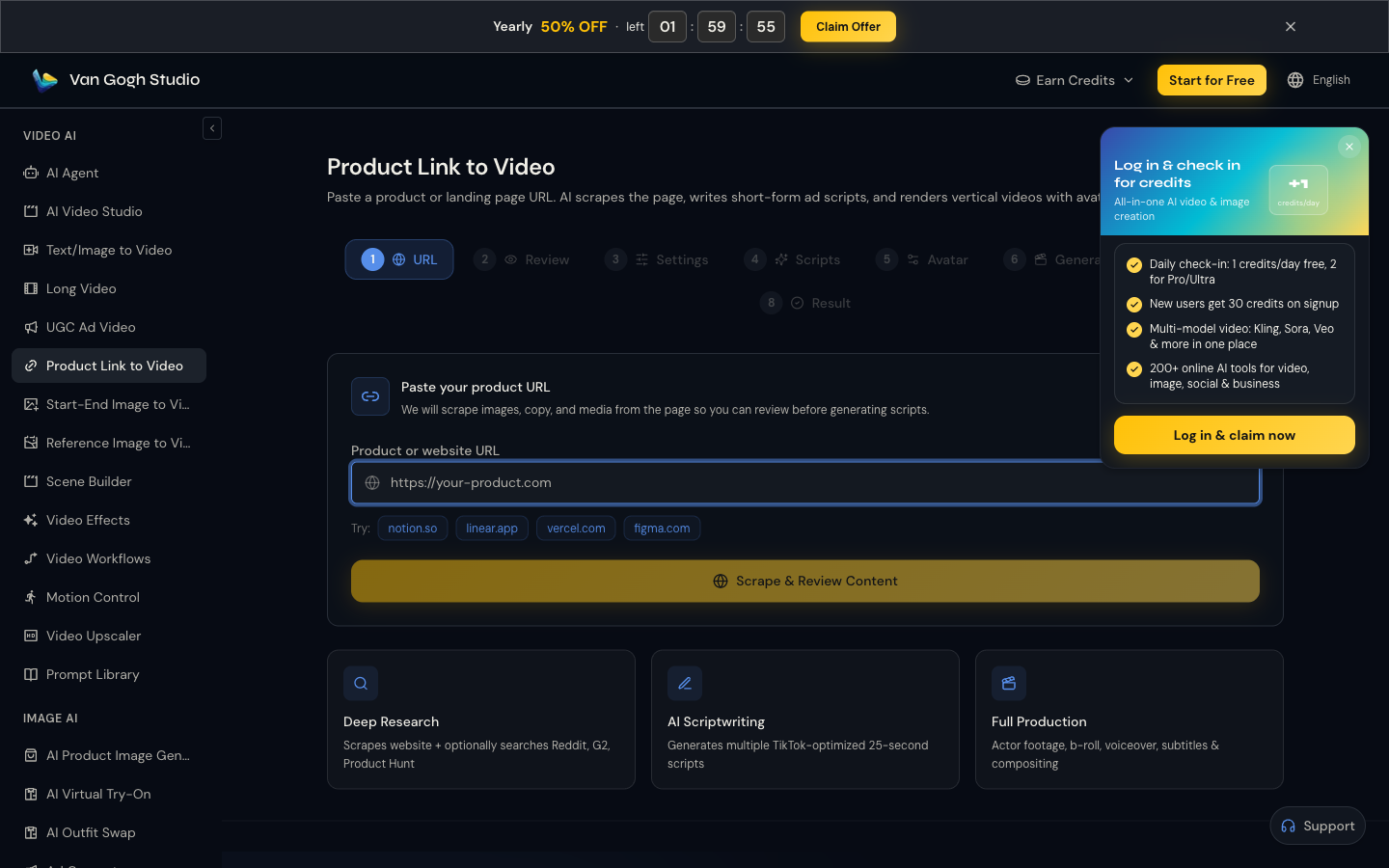
Visit Product Link to Video (sidebar VIDEO AI → Product Link to Video). Paste your product or website URL into Product or website URL, or try a sample domain. Click Scrape & Review Content to start.
Step 2: Scrape, Review, and Set Preferences
Follow the on-page stepper (URL → Review → Settings → Scripts → Avatar → Generation → Result). Confirm the scraped product details, then adjust settings for your campaign (platform length, tone, and creative direction).
Step 3: Scripts, Avatar, and Generation
Pick an AI-written short-form script (TikTok-style lengths work well), choose an avatar/actor option, then start generation. Refine with extra notes if the first pass needs a sharper hook or CTA.
Step 4: Download Your Product Video Ad
When rendering finishes, preview the result and download the vertical ad for TikTok, Reels, or paid social. Iterate by changing script or avatar without reshooting.
Use Cases
- Rapid creative testing from the same product URL
- Social-proof style demos and unboxings for e-commerce
- Bolstering Shopify or landing-page listings with native video
- Localizing messaging for new markets without new shoots
- B2B/SaaS explainers from a product or docs URL
Related Van Gogh Studio Tools
- UGC Ad Video — image + prompt UGC ads
- Text/Image to Video — custom short clips
- AI Agent — guided multi-step video workflows
- Long Video — longer narrative cuts
Conclusion
Paste a product URL into Product Link to Video, scrape, pick a script and avatar, and download a campaign-ready ad. Start on Van Gogh Studio and ship the next creative test in minutes—not weeks.
Create AI videos free
Try Van Gogh Studio free — text-to-video, image-to-video, and 300+ models in one place. Free credits on signup, no credit card required.
Try Free Video Generator


