

ASMR glass fruit cutting videos are a favorite “oddly satisfying” format on TikTok and Instagram—translucent fruit, crisp slicing motion, and high watch time. You do not need fragile glass props or a soundstage: Van Gogh Studio can generate the look from a clear prompt (or a still) in Text/Image to Video.
This guide shows why the niche works, the exact Van Gogh Studio steps, prompt formulas that keep fruit looking glassy (not mushy), and how to turn one clip into a content series.
Why ASMR Glass Fruit Content Goes Viral
Glass-fruit clips pair shiny translucency with rhythmic slicing. Viewers stay for the full cut, which helps retention and algorithm distribution. AI lets you iterate fruit types, lighting, knife speed, and camera angles without buying props or cleaning sticky sets.
Creators use the format for faceless channels, lo-fi playlists, and brand collabs (juice, knives, cutting boards) where the visual itself is the hook.
How to Create an ASMR Glass Fruit Video on Van Gogh Studio
Step 1: Open Text/Image to Video and Write Your Prompt
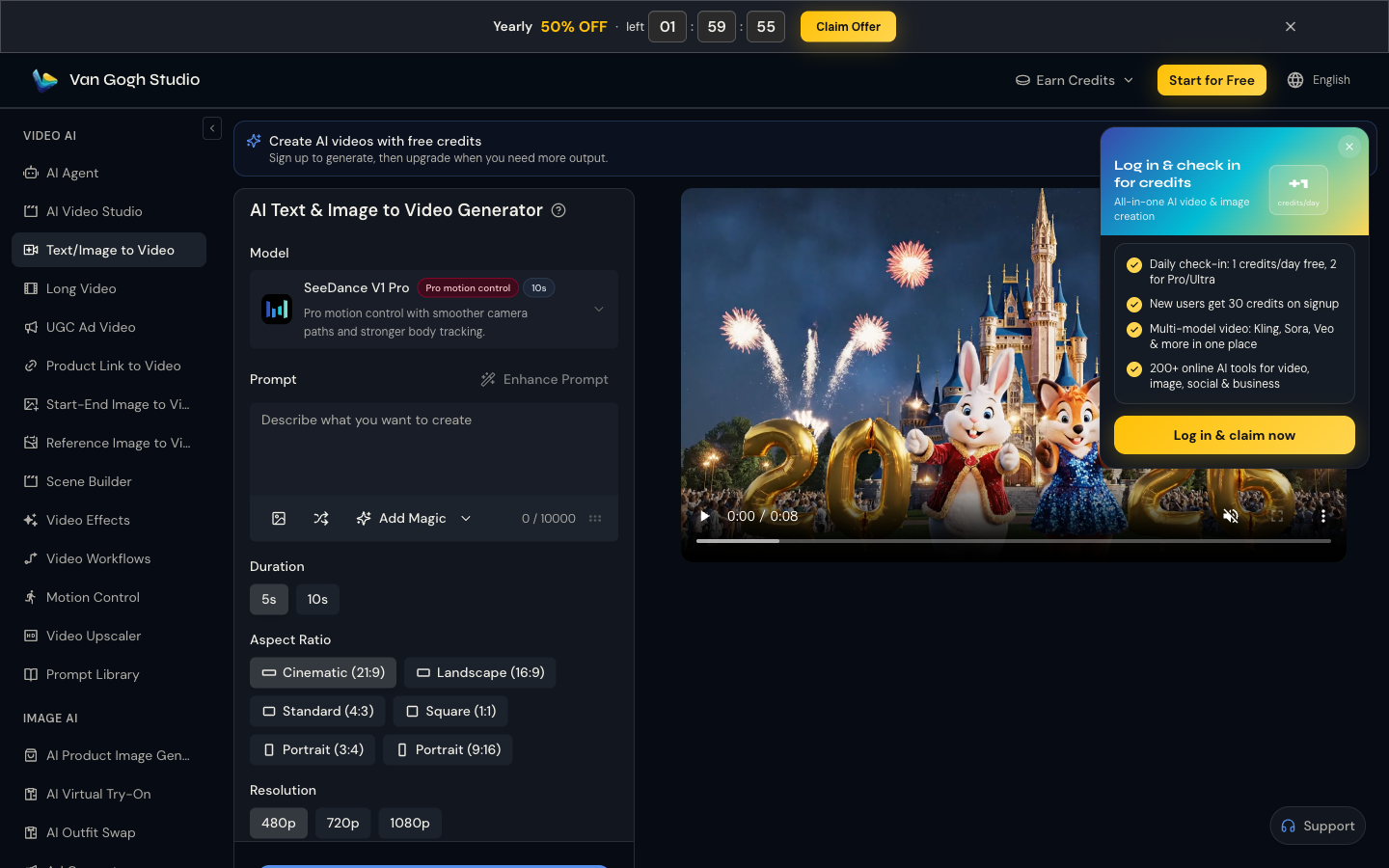
Go to AI Text & Image to Video (sidebar VIDEO AI → Text/Image to Video). Describe the fruit, glass material, knife motion, sound-friendly close-up framing, and lighting.
Example: Macro ASMR shot of a translucent glass strawberry being sliced slowly on a marble board, crystal shards, soft studio light, shallow depth of field, ultra realistic.
Use Enhance Prompt if you want richer wording. Optionally add a reference image with the upload control.
Step 2: Set Duration, Aspect Ratio, and Resolution
| Setting | Short-form default | Why |
|---|---|---|
| Duration | 5s or 10s | Long enough for a full slice beat |
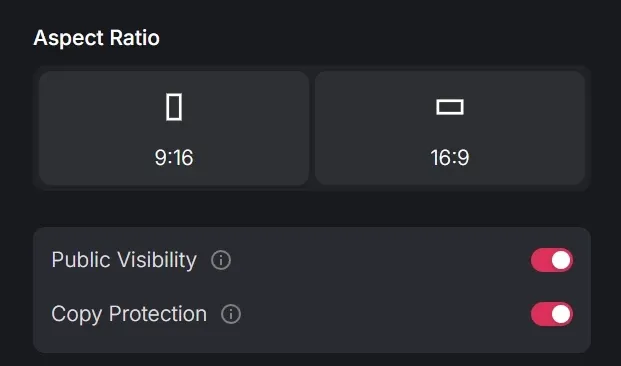
| Aspect ratio | Portrait 9:16 | TikTok / Reels / Shorts native |
| Resolution | Highest available for your plan | Crisp glass needs sharp edges |
| Camera language in prompt | Macro / top-down / slow push | Keeps the cut readable |
Match the ratio to the platform before you spend credits.
Step 3: Generate and Export
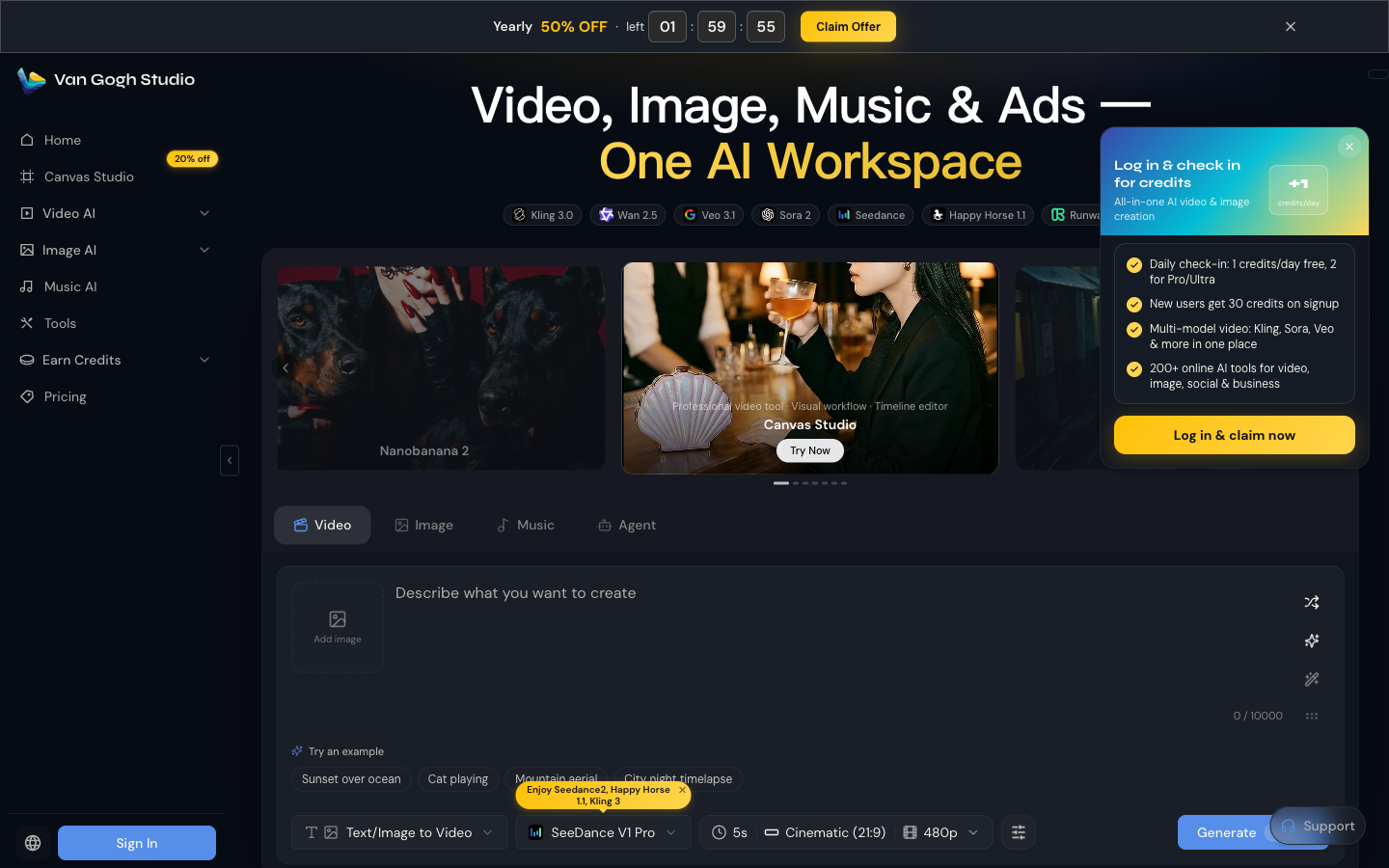
Confirm the model on the page—or start from the home Video tab with mode Text/Image to Video—then click Generate. Sign in for credits if prompted, preview the clip, and download when ready.
Step 4: Finish the ASMR Layer (Optional but Recommended)
AI video often ships silent. Add a crisp knife-on-glass or soft slice SFX, a gentle bed of rain/lo-fi, and light captions (“oddly satisfying”) in your editor before posting.
Prompt Tips and Best Inputs
- Say “translucent glass” + fruit name every time—otherwise you get opaque plastic fruit.
- Specify knife speed (“slowly,” “one clean cut”) for ASMR pacing.
- Name the surface (marble, wood, black slate) so reflections sell the glass look.
- Keep one fruit per clip for cleaner physics; series viewers like variety across posts, not chaos in one shot.
- Reference stills help—upload a glass-fruit image if you have a preferred style.
Common Mistakes
- Vague prompts (“nice fruit cutting video”) with no material or camera cues
- Landscape 16:9 for TikTok-first accounts
- Overstuffing the prompt with ten fruits and three camera moves
- Skipping audio—silence undercuts the ASMR promise
Optional: Browse Video Effects Templates
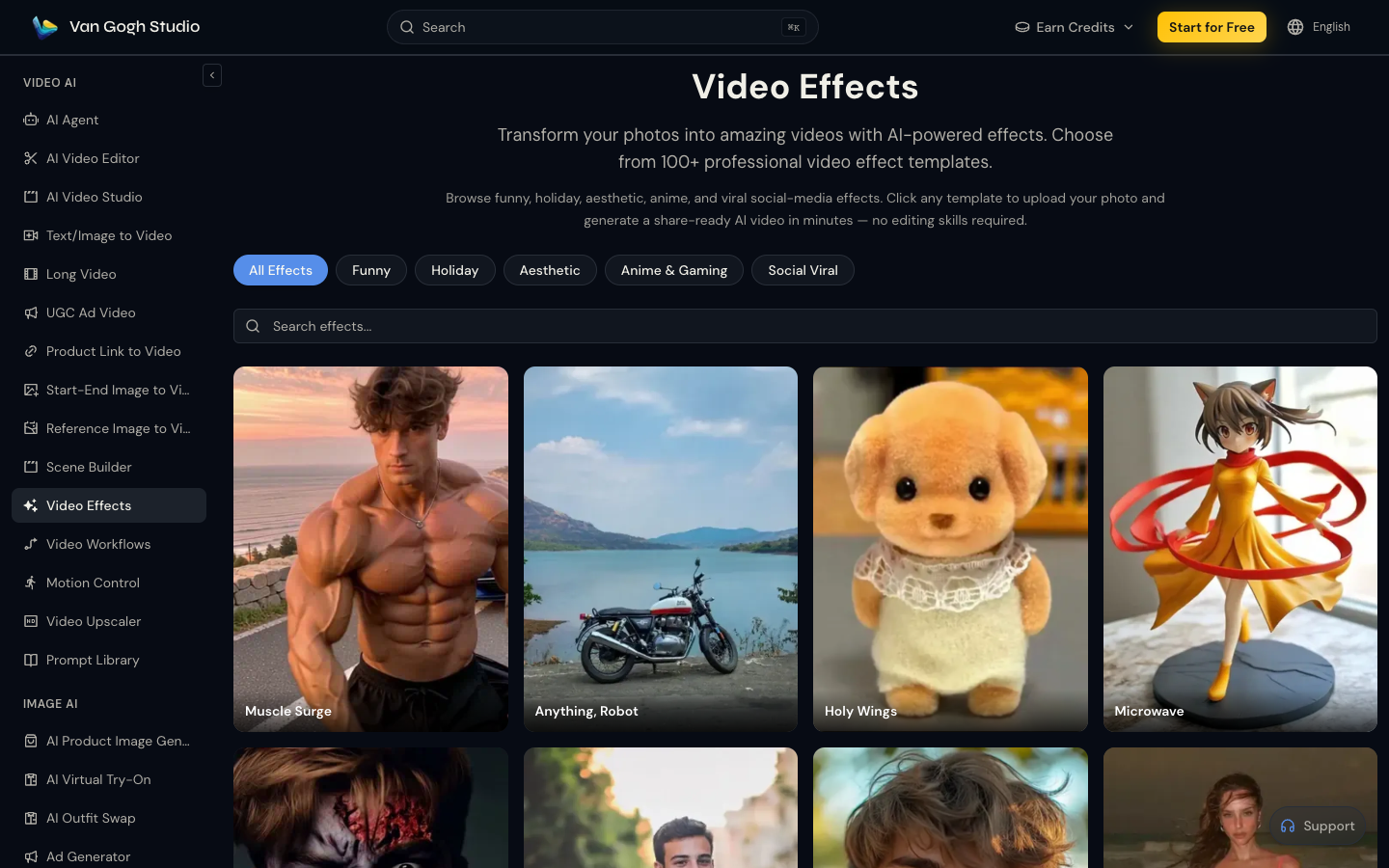
For other one-click photo-to-video styles, open Video Effects, search or filter templates, and apply an effect to an uploaded photo. Glass-fruit ASMR itself works best as a detailed Text/Image to Video prompt; Effects are useful when you want a packaged template look.
Related Tools
- Text/Image to Video — primary ASMR generation path
- Video Effects — template motion looks
- Long Video — multi-scene satisfying compilations
- AI Agent — structured series planning from a brief
- AI Video Studio — broader workspace for batch creative
Summary
Open Van Gogh Studio, describe a glass fruit cutting scene in Text/Image to Video, set 9:16 for short-form, generate, and add ASMR audio. Iterate fruit types and lighting until the clip feels oddly satisfying—and ready to post.
FAQs
Do I need real glass fruit props?
No. Describe translucent glass fruit in Text/Image to Video and generate the visual. Add cutting sounds in post if you want a fuller ASMR experience.
What aspect ratio should I use?
Use 9:16 for TikTok, Reels, and Shorts. Use 16:9 only if the clip is for YouTube long-form or website embeds.
Why does my fruit look opaque instead of glassy?
Add material cues: “translucent glass,” “crystal,” “light refraction,” and “macro studio lighting.” Soft, overexposed prompts often read as plastic.
Can I make a longer ASMR compilation?
Generate multiple fruit clips, then stitch them—or draft a multi-scene satisfying narrative in Long Video.
Create AI videos free
Try Van Gogh Studio free — text-to-video, image-to-video, and 300+ models in one place. Free credits on signup, no credit card required.
Try Free Video Generator


