

I tested HeyGen to see whether its AI avatar and video translation workflow really helps teams ship presenter-led videos without filming — and whether it holds up beyond talking-head demos.
In this HeyGen AI review, I’ll share what it does well, where the avatar-first identity becomes the ceiling, who it fits best, and why I would choose Van Gogh Studio when I need more than a digital presenter speaking to camera.
Quick Verdict
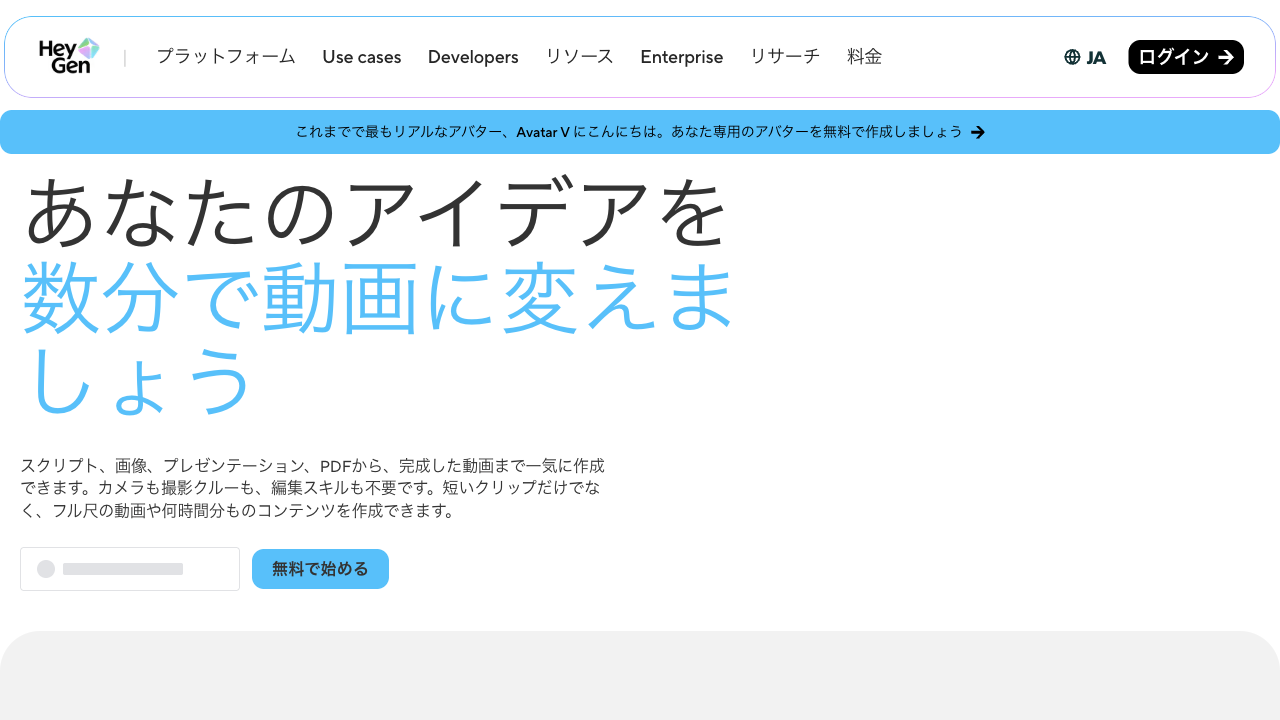
HeyGen is a strong fit if your main goal is AI avatar videos, lip-synced presenters, and multilingual video translation. Realistic avatars, gesture control, voice options, and lip sync make it practical for training, explainers, sales intros, and localized updates without a shoot.
It is a weaker choice when you need multi-scene storytelling, product motion, cinematic generation, UGC-style ads, or deeper editing after the avatar clip is done. HeyGen is best understood as an avatar and translation platform — not a full AI video studio. For a broader production path, I prefer Van Gogh Studio.
| Review Point | My Take |
|---|---|
| Best for | AI avatars, lip sync, video translation, training, and business messages |
| Not best for | Multi-scene ads, product motion, cinematic clips, or open-ended visual storytelling |
| Strongest feature | Realistic avatar performance with gesture control and multilingual translation |
| Biggest limitation | Narrow creative range beyond presenter / talking-head formats |
| Learning curve | Easy if the script and avatar brief are already clear |
| My verdict | Excellent for avatars and localization; limited as a full creative studio |
What Is HeyGen AI?
HeyGen is built around digital presenters and video localization. You create avatar videos from photos, presets, or custom avatars, drive them with scripts and voices, and translate existing videos into many languages with lip sync.
That positioning matters. HeyGen is closer to avatar communication tools than to open-ended text-to-video generators. It shines when the video is a person explaining something — onboarding, FAQ answers, sales intros, localized announcements. It is not designed to invent cinematic scenes, product close-ups, or campaign storyboards from a blank creative brief.
If your content needs a face, voice, and direct address at scale, HeyGen makes sense. If your content needs visual storytelling beyond the speaker, you will feel the walls quickly.
Key Features I Reviewed
HeyGen’s feature set is organized around presenter delivery, motion control, and multilingual video localization.
AI Avatar Creation From Photo or Preset
The core product is avatar video generation. You can start from a photo, choose a public preset, or create a custom avatar, then generate a presenter-style clip with lip sync, voice, and light body motion.
This works well for explainers, training intros, support answers, and short sales updates. The format is already clear: someone speaks to the viewer. You do not need camera setups, lighting, or a studio day.
The honest limit is the same as the strength. Photo-based avatars often look more static than video-trained ones. When the job needs B-roll, product motion, camera moves, or several connected scenes, a talking face alone starts to feel boxed in.
Precise Gesture and Motion Control
HeyGen’s gesture control is one of its clearer differentiators. Prompted body motion, hand gestures, and micro-expressions can make avatars feel less stiff than older face-only tools.
In my tests, finger shape and hand stability held up better than many competing avatar generators. That matters for presenter credibility. Occasional repeated gestures still happen when prompts are too specific, so I would treat gesture control as a strong assist — not perfect performance direction.
Lip Sync and Micro-Expressions
Lip sync is a core HeyGen skill. Front and side angles are supported, and fast speech can still look usable when the source face and audio are clean.
Micro-expressions — small head moves, facial reactions that appear without being explicitly prompted — help the avatar feel less mechanical. For business and education content, that realism is the main reason to prefer HeyGen over simpler talking-head tools.
Video Translation With Lip Sync
Video translation is HeyGen’s second major strength. Upload a single-speaker video, translate it into another language, and keep lip sync aligned with the new audio.
This is genuinely useful for global teams, localized product updates, and multilingual training. Clean source audio (one speaker, little background noise) matters a lot. Compared with traditional dubbing pipelines, the time savings are real — though final quality still needs a human review before customer-facing publish.
Pros and Cons
What I Liked
- Realistic AI avatars with useful gesture and expression control
- Strong lip sync for presenter and translation workflows
- Multilingual video translation reduces refilming and manual dubbing
- Clear path from photo or preset to a speaking presenter
- Practical for training, explainers, sales intros, and localized updates
What Held It Back
- Narrow range beyond face-to-camera / avatar formats
- Long videos can feel slow to generate
- Limited professional editing after the avatar clip is done
- Weak help for product motion, B-roll, or multi-scene storytelling
- Photo-based avatars can look less lively than video-trained ones
Create Full Videos with Van Gogh Studio Free
Where HeyGen AI Falls Short
HeyGen’s limits show up the moment the video needs more than a digital speaker.
Avatar Format Is Not Full Video Production
A talking avatar can deliver a message. It cannot replace scene design, product framing, visual hooks, or story pacing. For ads, social campaigns, and story-driven content, that gap is hard to ignore.
Generation Speed and Editing Depth
Longer clips can take a noticeable amount of time, and the platform is not a deep editing suite. If you need captions polish, scene restructuring, product inserts, or campaign variations, you will likely move the clip elsewhere.
Presenter Format Gets Repetitive
When every clip is a similar talking face, series content starts to feel samey. Training libraries can tolerate that. Marketing feeds usually cannot.
Not Built for Campaign Variation
Performance ads and UGC video ads need hooks, formats, visual tests, and fast variations. HeyGen can support a presenter-led message, but it is not a campaign production system.
Real Use Cases
| Use Case | My Take |
|---|---|
| Training and onboarding | Strong fit — presenter explainers without filming |
| Multilingual video localization | Strong fit when source audio is clean and single-speaker |
| Sales outreach messages | Good fit for short, direct presenter clips |
| Customer support / FAQ videos | Strong fit for repeated help answers |
| Product education | Mixed fit — can explain benefits; weaker for product motion |
| Social ads and UGC campaigns | Weak fit — format is too presenter-first |
| Multi-scene brand stories | Limited fit — needs another workflow for scenes and pacing |
HeyGen AI vs Van Gogh Studio
| Dimension | HeyGen AI | Van Gogh Studio |
|---|---|---|
| Main workflow | AI avatars and video translation | Full AI video generation, editing, and publish-ready workflows |
| Avatar video | Core product strength with gesture and lip sync | Available via AI avatar, plus broader surrounding tools |
| Video translation | Strong multilingual lip-sync localization | Useful via avatar and editing paths; not the only focus |
| Creative range | Narrower presenter / localization focus | Broader coverage across ads, explainers, social, and story videos |
| Marketing output | Better for message-led clips than campaign creatives | Stronger with UGC ad video and campaign-ready workflows |
| Editing flexibility | Limited after the avatar clip | Stronger follow-up refinement with the AI video editor |
| Best fit | Teams that need digital presenters and localized videos at scale | Creators and marketers who need finished AI videos, not only avatars |
Why Van Gogh Studio Is a Better HeyGen AI Alternative

HeyGen is useful for avatar-led communication and translation. Van Gogh Studio is stronger when I want that presenter clip inside a real production path — scenes, product motion, editing, and publish-ready structure in one place.
Avatar Videos Inside a Full Production Flow

With Van Gogh Studio’s AI avatar video generator, I can turn one photo into a lip-synced talking avatar with natural expressions and gestures — without filming or long avatar training.
The difference is context. I do not want the avatar to be the whole workflow. After the presenter clip is ready, I can keep building with text-to-video scenes, product motion, captions, and prompt-based edits instead of stopping at a talking head.
Create Avatar Videos with Van Gogh Studio Free
Post-Ready Videos With Van Gogh Studio Agent

Van Gogh Studio Agent covers the gap HeyGen leaves open: structure, pacing, captions, music, and a clearer path from idea to a shareable video. That matters when the job is a finished explainer, training video, or campaign creative — not only a speaking face.
Create Videos with Van Gogh Studio Agent
Broader AI Video Generation, Not Only Presenters

Van Gogh Studio gives me more starting points: text to video for concepting, image to video for product stills, and multi-model access when I want different motion styles. Models such as Veo 3.1, Kling 3.0, and Seedance 2.5 matter when one talking-head look is not enough.
Stronger Marketing and Commerce Workflows
For ads, launches, and product promos, I need hooks, variations, pacing, and channel-ready formats. Van Gogh Studio’s marketing and product-video workflows are built for that campaign output, not just one presenter message. URL-to-video and photo-to-video paths also help teams move from assets to ads faster via link to video and UGC ad video.
Final Verdict: Is HeyGen AI Worth Using?
HeyGen is worth using if you need AI avatars, lip sync, and multilingual video translation for clear, presenter-led communication. For training, support, sales intros, and localized announcements, that value is real.
It is less ideal as your only video platform. Once you need multi-scene stories, product motion, social ads, or richer visual direction, the avatar identity becomes the ceiling — especially when generation is slow and editing options stay thin.
For a broader AI video workflow, I would choose Van Gogh Studio. It combines AI avatar creation with multi-model video generation, editing, Agent-led publish-ready workflows, and campaign tools — so you can explain, localize, sell, and create without stopping at a digital face.
HeyGen AI Review FAQs
What is HeyGen AI used for?
HeyGen is used for AI avatar videos and video translation — turning photos or digital presenters into face-to-camera clips with speech and lip sync, and localizing existing videos into many languages. It fits training, support, sales, onboarding, and multilingual updates better than cinematic or multi-scene production.
Is HeyGen good for marketing videos?
It can work for presenter-led marketing messages and product education. For ads that need multiple hooks, visual scenes, product motion, and fast variations, a broader campaign workflow is usually better.
What is the biggest drawback of HeyGen AI?
For me, the biggest drawback is limited creative range beyond avatar formats. Strong lip sync and translation solve “someone on camera in another language.” They do not solve full visual storytelling.
What is the best HeyGen AI alternative?
If you want talking avatars plus a complete AI video workflow, Van Gogh Studio is the better alternative. It covers AI avatar, multi-model video generation, editing, UGC ads, and longer story videos in one workspace.
Create AI videos free
Try Van Gogh Studio free — text-to-video, image-to-video, and 300+ models in one place. Free credits on signup, no credit card required.
Try Free Video Generator


