

I tested Gencraft AI around the image tasks I typically care about: portraits, character ideas, fantasy concepts, sketch-to-image prompts, and quick image edits.
In this Gencraft AI review, I’ll share what it does well, where visual exploration stops feeling production-ready, who it fits best, and why I would choose Van Gogh Studio when image ideas need to become finished video content.
Quick Verdict
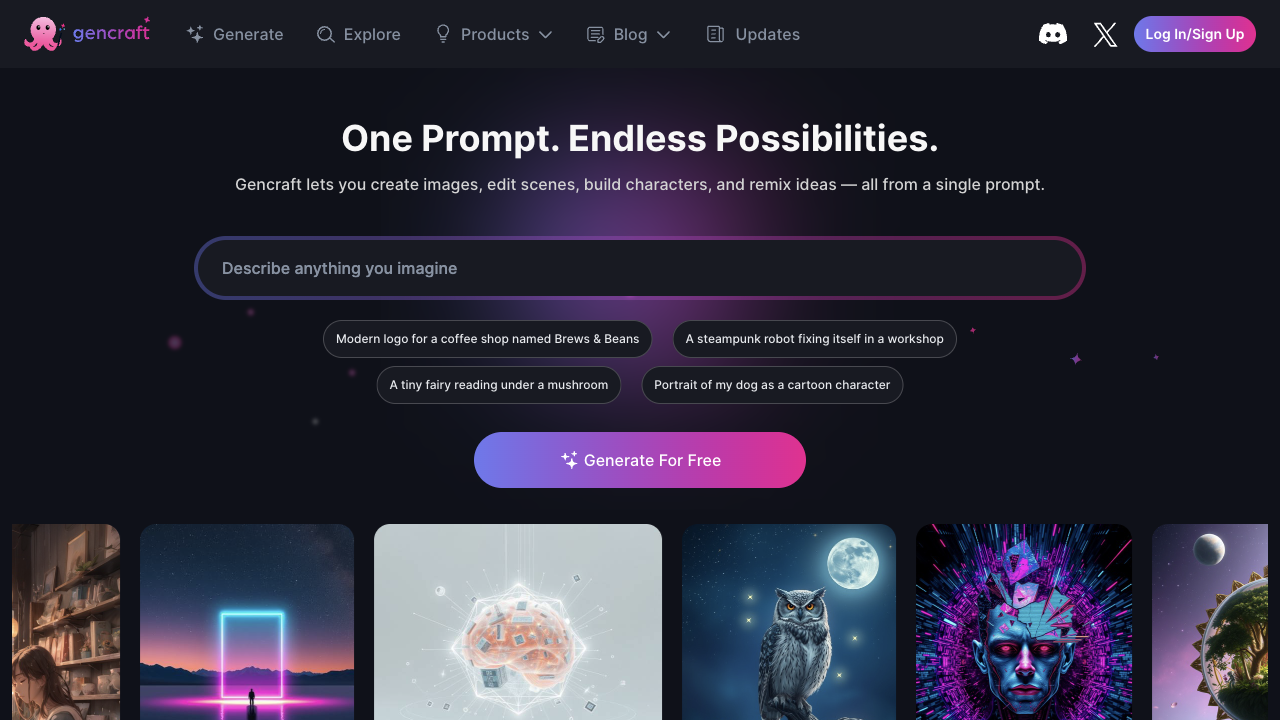
Gencraft AI is a strong pick if your main goal is casual AI art — portraits, character concepts, fantasy scenes, sketch-based ideas, and quick style experiments. It is easy to start with and useful for visual exploration without a heavy design setup.
It is a weaker choice when you need commercial visuals, repeatable brand assets, precise edits, or a path from still images into publish-ready video. For that fuller creative workflow, I prefer Van Gogh Studio.
| Review Point | My Take |
|---|---|
| Best for | Casual AI art, portraits, character ideas, sketch concepts, style experiments |
| Not best for | Commercial visuals, repeatable brand assets, precise edits, or video production |
| Strongest feature | Easy style exploration and quick image ideation |
| Biggest limitation | Outputs often need re-prompting, cleanup, or another tool before they feel usable |
| Learning curve | Easy for beginners and hobby creators |
| My verdict | Good for first drafts; weaker for production-ready creative work |
What Is Gencraft AI?
Gencraft is an AI image generator that turns text prompts into digital artwork. It focuses on style-based image creation, portraits, character visuals, sketch-to-image generation, face swap, and prompt-based editing.
I would describe it as a creative playground for image ideas. It is approachable, but it feels more useful for experimenting than for finishing polished assets.
Compared with a full AI creative suite, Gencraft stays image-first. If the job is exploring a look, that is fine. If the job is turning those visuals into image to video ads, product motion, or campaign creatives, you will need more than Gencraft alone.
Key Features I Reviewed
Gencraft’s feature set is organized around style exploration, character ideation, and light prompt-based edits.
Custom AI Image Models and Style Selection
Gencraft’s custom models and style options are meant to support visuals around specific aesthetics. I tested realistic, anime, cinematic, and fantasy-style prompts, and the tool made it simple to move between different looks.
For early ideation, this helped. I could get interesting directions fairly quickly — a fantasy campaign mood, a futuristic product concept, a painterly scene. For strict consistency, results needed review. Some images matched the mood; others drifted in facial details, costume details, or lighting.
Style presets can only take you so far. A stylish image is not always a usable image for brand or commerce work.
AI Character Guide
Gencraft’s AI character guide is designed to help maintain a character across different images. I tried a female explorer character in three scenes: a jungle, a city street, and a snowy mountain path.
For early character development, it was useful. I still had to inspect outputs carefully. The face, outfit, and proportions did not always stay fully stable. If I want a finished character series, I would expect more iteration than a one-pass guide.
AI Photo Booth and Portrait Restyling
Gencraft’s AI photo booth focuses on portrait restyling. I evaluated it as if I were creating profile images, creator avatars, and stylized social portraits.
This was one of the simpler and more enjoyable parts of the tool. It works best when the goal is personal or social-style visual experimentation. For a brand page, campaign image, or professional profile, I would still want more control over the face, background, lighting, and final polish.
AI Sketch Guide
The AI sketch guide turns rough sketches into more finished images. I tried it with a rough cafe storefront concept and asked for a warm evening street scene.
This feature has a clear use case. If you start with a messy idea but know the structure you want, it can help you visualize faster. The output still felt like a draft — details needed sharpening before I would treat it as a polished visual.
Instant Face Swap and Magic Editor
Gencraft also includes face swap and a prompt-based magic editor. Face swap can be useful for entertainment or character experiments, but identity, consent, and image rights matter — I would use it carefully.
The magic editor lets users make prompt-based edits to existing images. I tested simple cleanup: shift the background, remove a distracting object, clean the lighting. The idea is decent, but prompt edits still needed trial and error. Sometimes it fixed the target area but changed another part of the image.
Pros and Cons
What I Liked
- Easy to start using for casual AI art and style experiments
- Useful style options across realistic, anime, cinematic, and fantasy looks
- Character Guide helps with early character inspiration
- Photo Booth is simple and fun for social-style portraits
- Sketch Guide is good for concepting from rough drawings
- Magic Editor adds light flexibility after generation
What Held It Back
- Better for ideas than finished commercial assets
- Style control can feel broad rather than precise
- Character consistency still needs careful checking
- Portrait and sketch outputs often need extra polish
- Prompt edits can be inconsistent
- No strong path from image drafts into publish-ready video
Create Full Videos with Van Gogh Studio Free
Where Gencraft AI Falls Short
Gencraft’s limits show up when you try to turn one decent result into a set of usable visuals — or into video.
Strong for Exploration, Weak for Sets
Gencraft gave me the fastest value when I was still exploring an idea. I could test a portrait style, fantasy scene, or sketch-based concept without much setup.
The gap showed up when I tried to keep the same lighting, background mood, and overall style across more than one image. Real content work often needs a group of visuals that look like they belong together.
Limited Precision for Commercial Work
Product labels, brand colors, exact composition, and cleanup quality matter for ads and storefronts. Gencraft’s prompt-based edits and style presets can feel too loose for that level of control.
Image Ideas Stop at Stills
Gencraft is not a video platform. When a project needs product motion, campaign hooks, talking presenters, or multi-scene storytelling, an image playground is only the first step. Moving from stills into text to video, image to video, or UGC ad video requires a broader studio.
Real Use Cases
| Use Case | My Take |
|---|---|
| Fantasy artwork | Strong fit for mood and style exploration |
| Portrait restyling | Good fit for casual and social-style looks |
| Character concepts | Useful early on; consistency still needs checking |
| Sketch to image | Good for concepting; drafts need refinement |
| Product-style visuals | Limited fit — attractive first drafts, weaker for commerce polish |
| Image cleanup | Mixed fit — Magic Editor helps simple changes, less exact for precise edits |
| Video ads and campaigns | Not the right tool alone; needs a video-first workflow |
Gencraft AI vs Van Gogh Studio
| Dimension | Gencraft AI | Van Gogh Studio |
|---|---|---|
| Main workflow | Casual AI image generation and style experiments | Full AI video generation, editing, and publish-ready workflows |
| Image ideation | Core strength for art, portraits, and character drafts | Stronger when images feed into video and campaign tools |
| Consistency | Helpful guides, but sets still need review | Better for turning assets into structured video outputs |
| Video generation | Not the product focus | Strong text to video and image to video paths |
| Marketing output | Better for concept art than campaign creatives | Stronger with UGC ad video and campaign-ready workflows |
| Editing flexibility | Light prompt-based magic edits | Stronger follow-up refinement with the AI video editor |
| Best fit | Hobby creators exploring AI art | Creators and marketers who need finished AI videos from image ideas |
Why Van Gogh Studio Is a Better Gencraft AI Alternative

Gencraft is useful for AI art exploration. Van Gogh Studio is stronger when I want those image ideas to become finished video — with generation, editing, talking avatars, and campaign formats in one place.
From Still Ideas to Moving Product and Scene Clips

Van Gogh Studio gives me more starting points: text to video for concepting, image to video for product stills and character frames, and multi-model access when I want different motion styles. Models such as Veo 3.1, Kling 3.0, and Seedance 2.5 matter when one look is not enough.
That is the clearest gap versus Gencraft. Gencraft can draft a still; Van Gogh Studio can explore how that idea moves.
Avatar Videos When Characters Need a Voice

With Van Gogh Studio’s AI avatar video generator, I can turn one photo into a lip-synced talking avatar with natural expressions and gestures — without filming or long avatar training.
Gencraft can restyle portraits and explore characters as images. When a project needs a presenter clip inside a larger video — product explainers, UGC-style pitches, training intros — avatars next to video generation are more practical than stopping at a portrait draft.
Create Avatar Videos with Van Gogh Studio Free
Post-Ready Videos With Van Gogh Studio Agent
Van Gogh Studio Agent gives a stronger end-to-end production advantage. Instead of generating separate image experiments, it is designed to create structured, production-ready videos with less manual assembly.
I can start from an idea, text, image, or URL, and the Agent can help handle structure, pacing, visuals, and sound. That makes it more suitable when I want a finished result instead of a gallery of drafts.
It also supports more content directions — viral video cloning, UGC ads, story videos, anime videos, music videos, and news-style videos — so the workflow stays adaptable for real publishing tasks.
Create Videos with Van Gogh Studio Agent
Stronger Marketing and Commerce Workflows
For ads, launches, and product promos, I need hooks, variations, pacing, and channel-ready formats. Van Gogh Studio’s marketing and product-video workflows are built for that campaign output, not just one stylish still. URL-to-video and photo-to-video paths also help teams move from assets to ads faster via link to video and UGC ad video.
Final Verdict: Is Gencraft AI Worth Using?
Gencraft AI is approachable and useful for users who want AI image exploration — portraits, fantasy art, character concepts, sketch ideas, and quick style tests — without a heavy creative stack.
Production readiness is the main issue. Gencraft is not a strong choice for commercial asset sets, precise brand control, or turning image ideas into cinematic ads, product videos, UGC campaigns, or publish-ready social video.
Use Gencraft when first drafts and style exploration are the job. For a broader path from image ideas to finished AI video, I would choose Van Gogh Studio. It combines multi-model video generation, editing, AI avatars, Agent-led publish-ready workflows, and campaign tools in one place.
Gencraft AI Review FAQs
Is Gencraft AI good for AI image generation?
Yes. Gencraft AI is well suited for casual AI image generation, especially for portraits, fantasy images, character ideas, and quick style experiments.
Is Gencraft AI good for professional image or video work?
It can help with early drafts, but I would not rely on it alone for polished professional assets or video campaigns. It works better for exploration than for repeatable production.
Can Gencraft AI create consistent characters?
Gencraft AI has an AI Character Guide, and it can help with character consistency. In testing, I still had to check details carefully across different outputs.
What is the best Gencraft AI alternative?
If you want image ideas plus a complete AI video workflow, Van Gogh Studio is the better alternative. It covers image to video, text to video, AI avatar, editing, UGC ads, and longer story videos in one workspace.
Create AI videos free
Try Van Gogh Studio free — text-to-video, image-to-video, and 300+ models in one place. Free credits on signup, no credit card required.
Try Free Video Generator


