

I’ve always been fascinated by the intersection of technology and creativity, so when I heard about the free Craiyon AI image generator, I decided to give it a try.
It can give them fresh ideas and help them make awesome artwork quickly. For people who make art or work with pictures, Craiyon is super helpful. Craiyon is an AI-based image or art creation tool that uses deep learning algorithms to generate images based on text prompts.
After testing several rounds, I found Craiyon an effective tool to generate hundreds of images based on my prompt. The Pro version images contain more elements concerning my topic. The free images are more blurry than the Pro version ones.
However, some pictures’ contents may deviate a little from the theme, so I should double-check the details before using them.
Quick Verdict
Craiyon is a free, approachable AI image generator for volume ideation. Useful for brainstorming; weaker when you need fidelity, brand control, or video workflows.
| Point | Take |
|---|---|
| Best for | Free image ideation, high-volume creative brainstorming |
| Not best for | High-fidelity brand assets, AI video, professional campaigns |
| Score | 6.0 / 10 |
| Better alternative | Van Gogh Studio |
Pros and Cons
Pros
- Free and easy to start
- Good for generating many concept variations
- Helpful for creative warm-ups
Cons
- Quality and consistency lag premium tools
- Limited professional control
- No strong path to finished video content
My First Impression of Craiyon
And I don’t even need to log in to start my first project. It demonstrated various stunning images generated by other users. I was fascinated by its sleek design and intuitive interface.
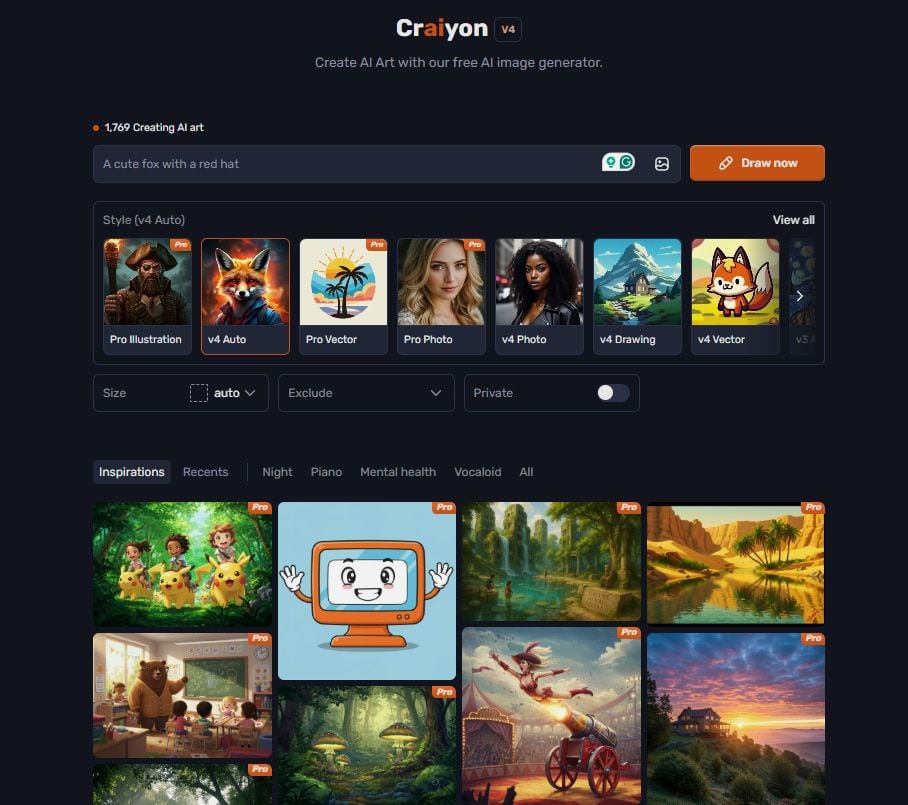
I simply need to describe what I want to create and input my ideas into the text box, such as “a unicorn running in the forest, sunlight filtering through the leaves,” and then click “Draw Now” to generate. Craiyon will then start working, transforming these words into vivid images.
How I Tested Craiyon AI Image Generator?
While testing Craiyon, I entered various descriptions, ranging from simple natural landscapes to complex sci-fi scenes, and from abstract art styles to realistic picture styles.
What impressed me was that it could generate images that closely matched expectations for common themes and scenes. For instance, I typed in “sunset by the sea, footprints on the beach, seagulls in the sky”
The image resolution of the free version may be lower, affecting details. The free set of pictures shows different perspectives of sunset beach by combining various elements such as sunset, footprints, seagulls, tides, etc. Elements such as seagulls and footprints might look a bit blurry. However, the style is too similar.
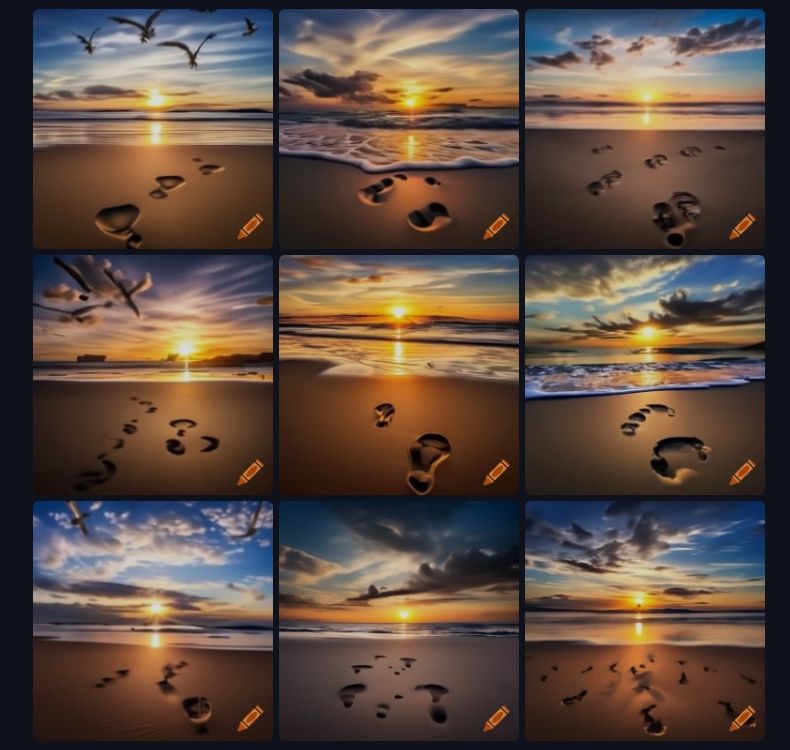
It was like a perfect postcard of a beautiful day. You could see clear footprints in the sand and seagulls soaring overhead. However, the Pro version images looked really nice, with warm colors and a peaceful beach scene. This showed that Craiyon can create realistic nature scenes that look pretty awesome.
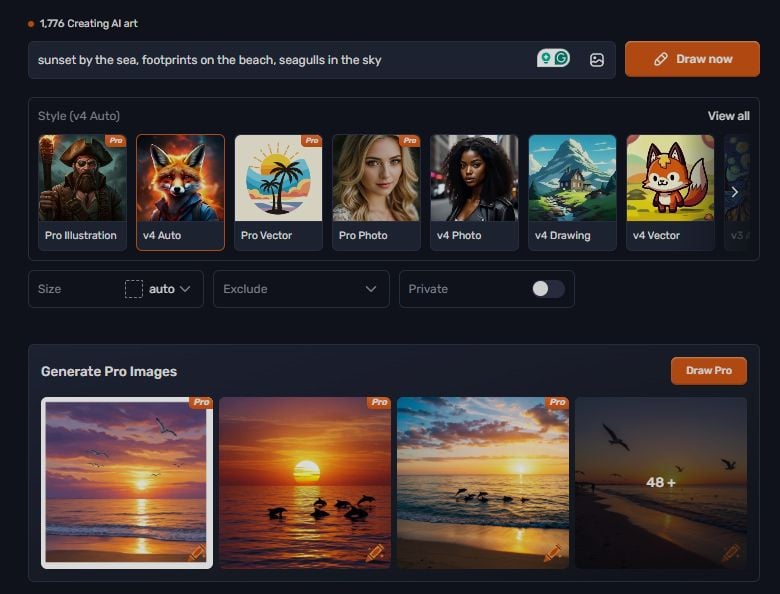
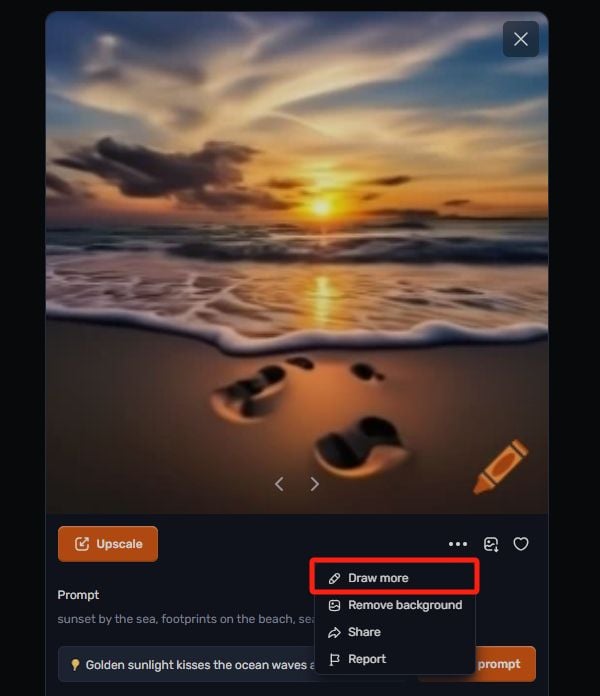
Then I tapped on one of the free images and found there was a suggestion for my prompt.
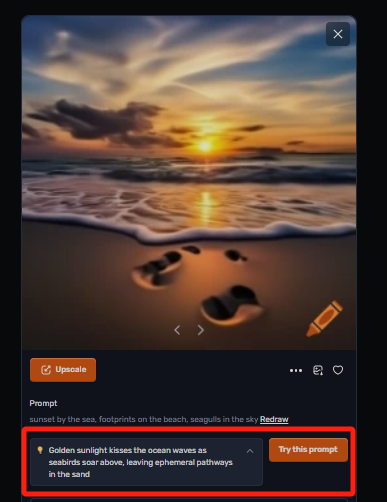
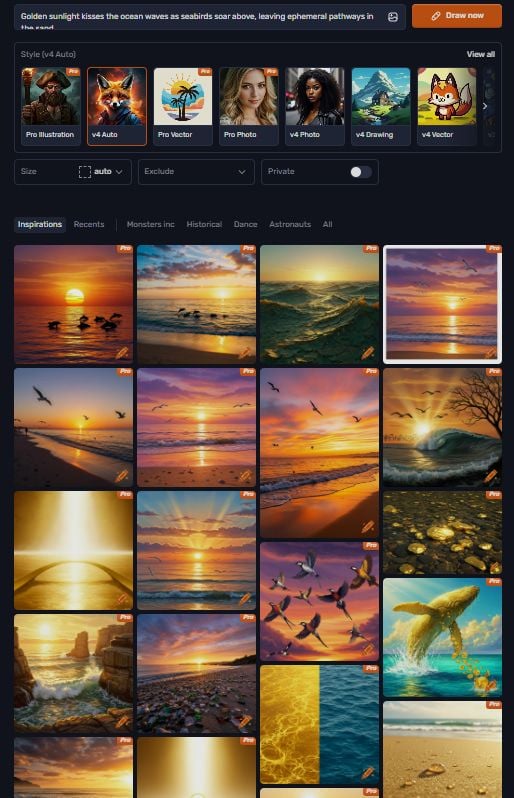
As I change the prompt to golden sunlight kisses the ocean waves as seabirds soar above, leaving ephemeral pathways in the sand, the overall tone of the images has turned golden yellow.
While clicking on the “Draw More” button, I got more interesting results.
This group of pictures has been significantly improved in terms of quality and creativity. The resolution and clarity of the picture are significantly higher, the details are richer, and the light and shadow effects are processed more delicately.
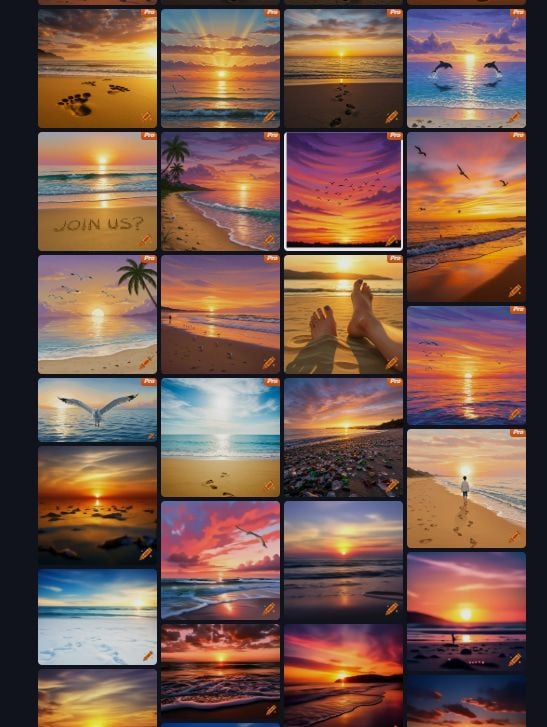
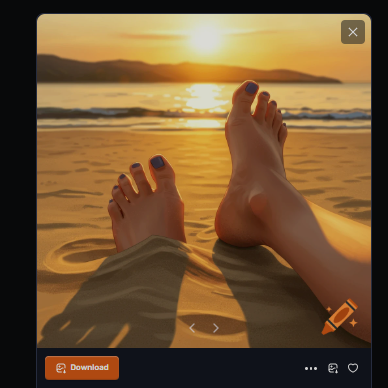
It enhances the 3D effect and visual impact of the image. The picture has also added more details, such as the shape of the clouds, the texture of the waves, the footprints on the beach, the movements of the people, etc.
When I enlarged the image, I found it was more exquisite. I could directly use the output, and it also gave me more creative possibilities and space.
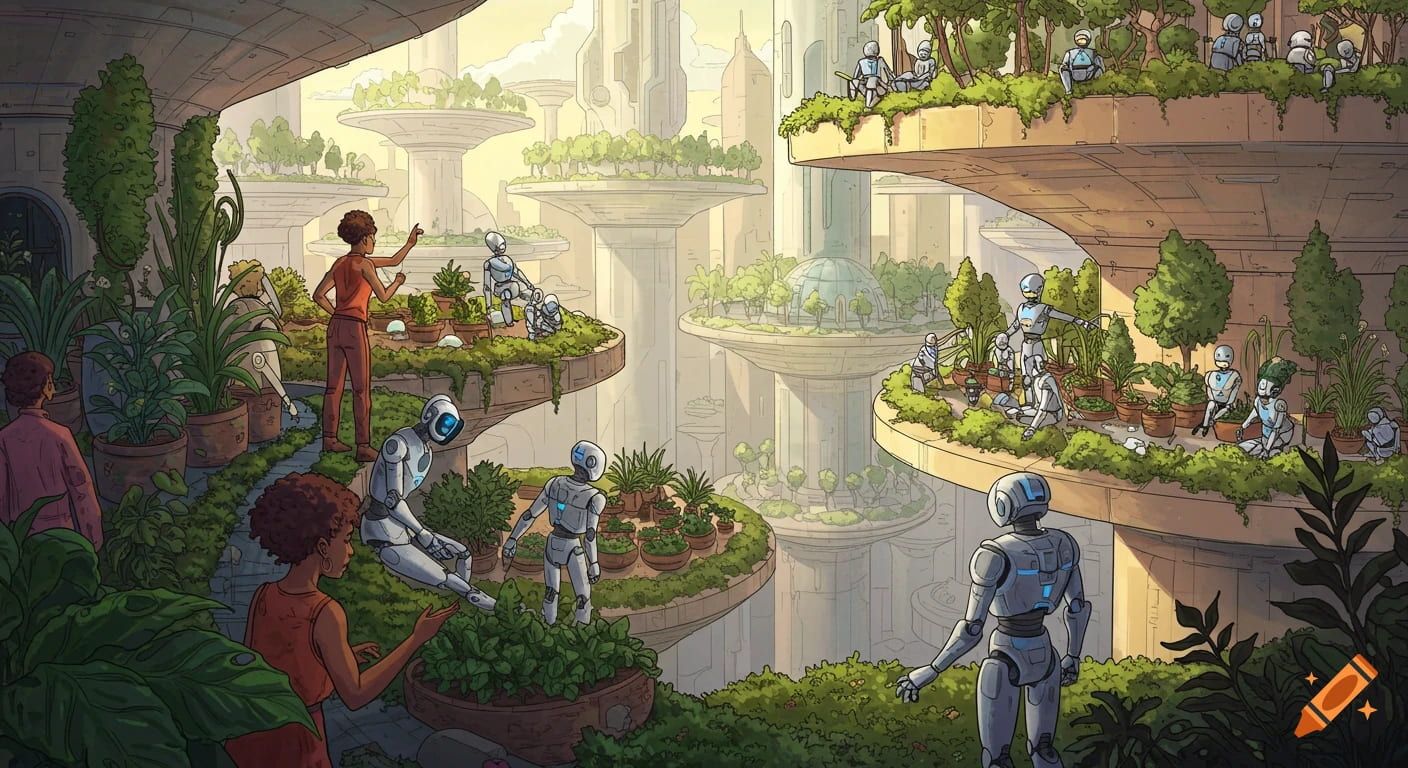
Then I input “A utopia of future cities, where people live in sky gardens and robots live harmoniously with humans. Encouraged by the results, I decided to try something more abstract.”
The robots were helping people grow plants, doing the hard work while humans watched and guided them. The images showed robots and humans working together. It was like seeing how robots could be helpful partners in everyday life. It demonstrated how AI enhances our living environment and daily activities.
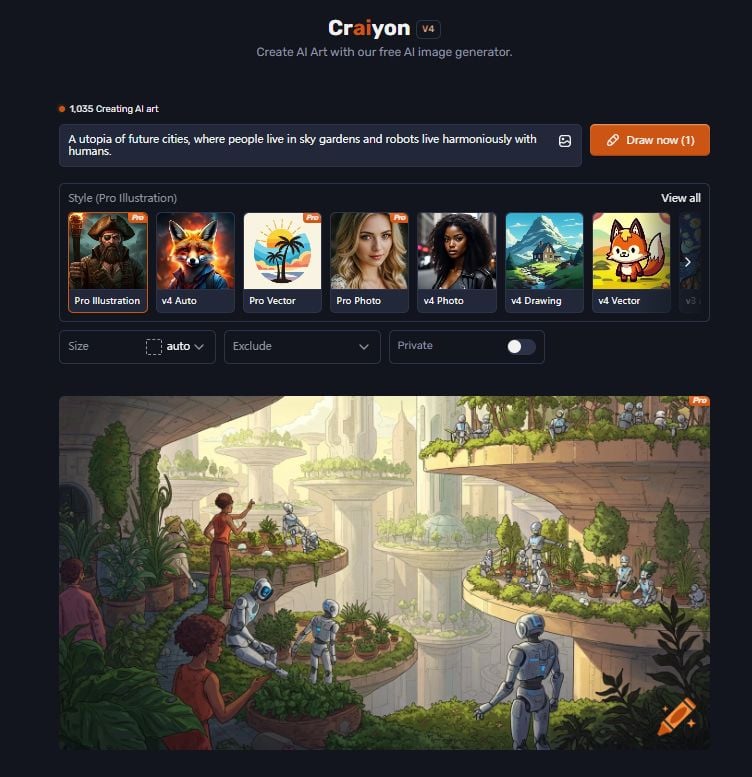
Craiyon captured the essence of a symbiotic relationship between humans and AI, understanding the semantics behind my expressions and capturing the details and relationships in such an abstract prompt.
Then I continued to test with different styles for the same prompt. Besides, Craiyon offers various styles. I input “tomato plant trellis with ripe tomatoes” and chose the “v4 Photo” mode.
There were no free images. It seemed like it spared no effort to make me get a Pro version. Nevertheless, to my surprise, it created something new. Instead, it showed me a collection of Pro images.
Rather than simply changing the filters and colors in the free version, it enlarged the theme to gardening and nature, showcasing tomatoes with vibrant garden scenes, based on my descriptions.
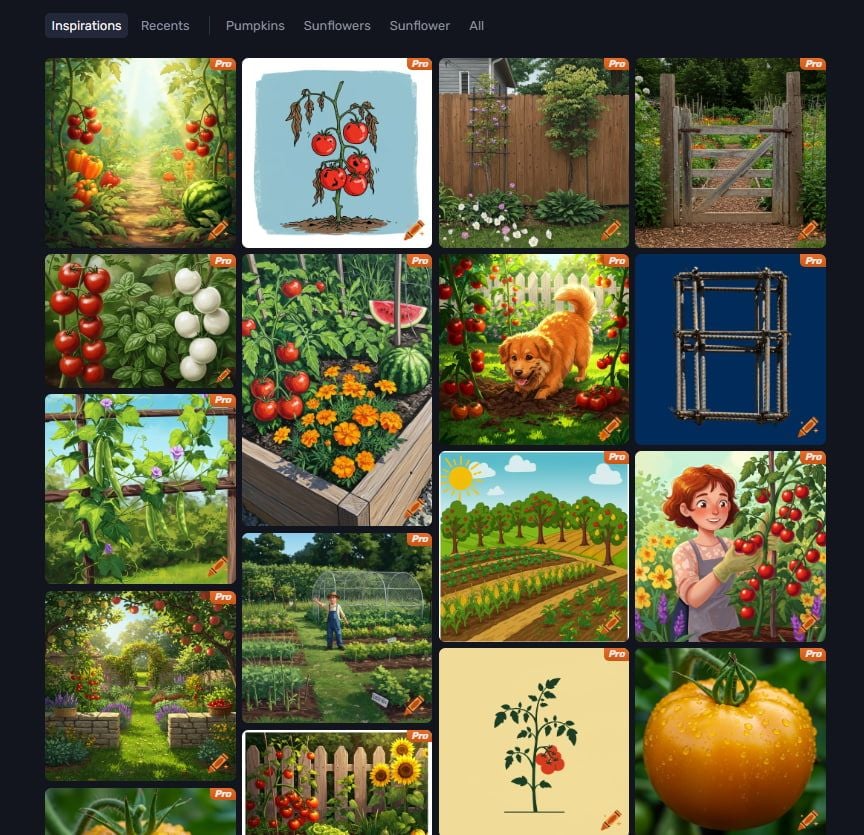
These whimsical images ranged from realistic real scenes and playful illustrations to cartoon drawings and watercolor paintings.
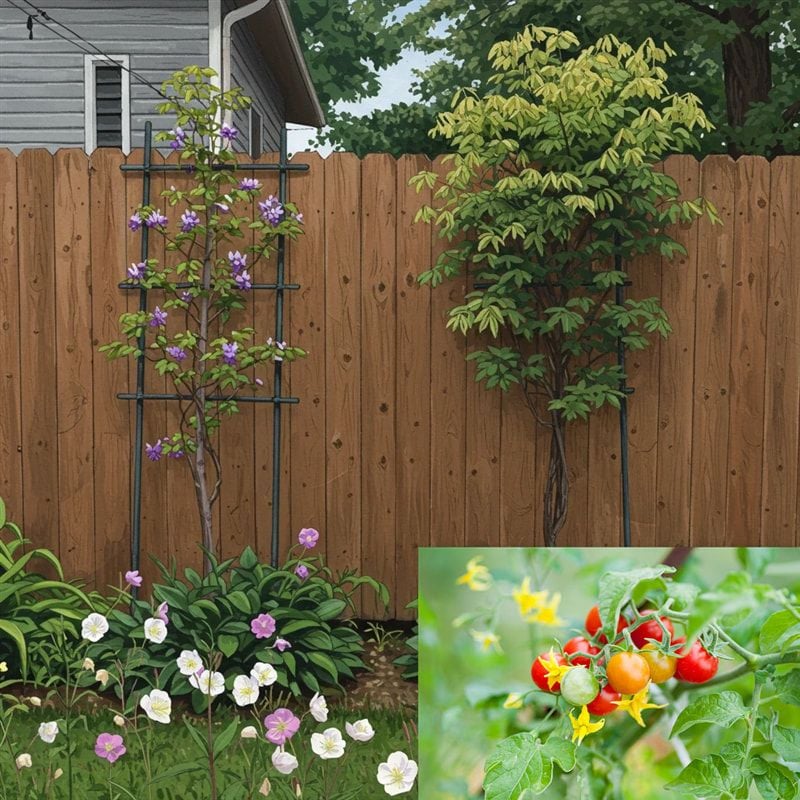
It depicts a trellis supporting a flowering plant. Then I chose a realistic style of picture. As there aren’t any tomato fruits on the tree, I think it should be in the stage of blooming tomato flowers.
Disappointingly, they were not tomato flowers. Then I compared it with real flower pics. I wasn’t satisfied with the result: on one hand, Craiyon didn’t cover all the essential elements mentioned in my prompt; on the other hand, the new elements it created were misleading.
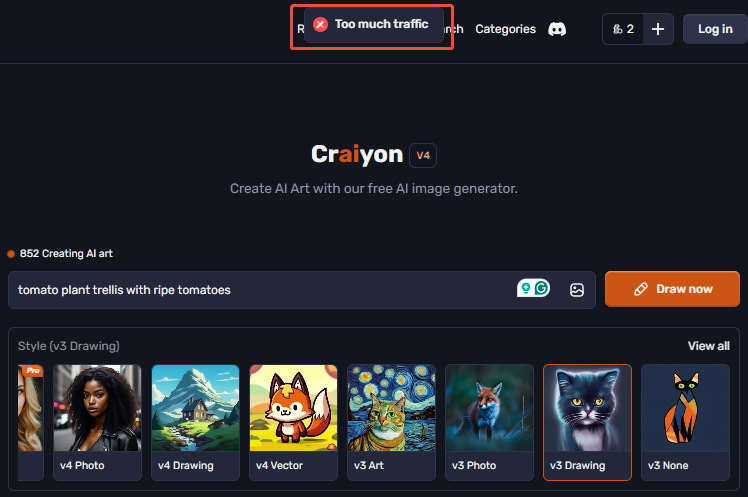
Therefore, I changed the style to “v3 Drawing”, expecting to see significant differences in the results.
However, after working on several attempts, Craiyon failed to generate new images. There was only a pop-up window, saying too much traffic.
How Does Craiyon Enhance My Work Productivity?
After testing several rounds of the Crayon image generator, I want to sum up my feelings and thoughts.
This helps me a lot when I need to create a number of images for the same topic. It only takes a few seconds to generate hundreds of photos. Firstly, Crayon generates images quickly.
Another impressive strength is its creativity. It can generate a wide range of images based on my descriptions, which can inspire new ideas and concepts.
For example, when I planned an article about a fantasy adventure story, I used Craiyon to create images related to the story’s setting. These images covered much imagination and helped me better develop the plot and characters.
Nevertheless, compared to traditional painting or hiring a professional designer, the cost of using Craiyon for image generation is very low. Furthermore, compared with the free version images, the Pro images were much more compelling and detailed, but I have to say the software has established many paths to let you make a purchase. It only costs $6 per month.
What Problems Am I Having with Craiyon?
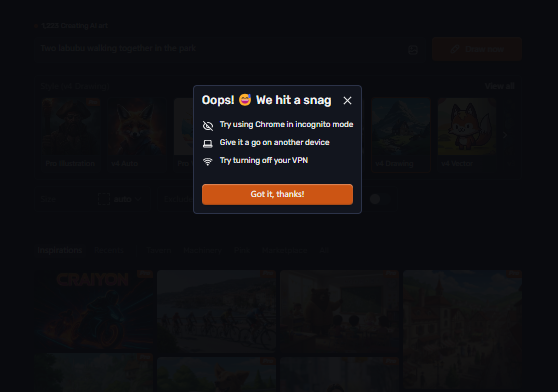
The biggest problem is that it frequently hits a snag when changing the prompt or switching the style. I had no idea it was because of my network delay or other causes.
Besides, even if the Pro version images were stylish and full of details, they might not be in line with my description. It may create other elements that I haven’t mentioned in my prompt.
This may divert attention from the key points I try to express. The extra details might overwhelm the core message, making it difficult for my audience to grasp the essential information I decide to convey.
Another concern is that the generated images are not original enough for commercial use, and the customization functions are limited. Although it offers some basic image editing tools, they are not professional enough to make more specific adjustments.
Van Gogh Studio - The Better Alternative to Craiyon
While Craiyon can also generate stylish images, it may produce blurry details or results that do not meet expectations in complex scenarios. If you need a better alternative to Craiyon, you can try Van Gogh Studio.
Van Gogh Studio has a powerful AI image generator. It can more accurately interpret the prompts and produce detailed and color-coordinated images and videos.
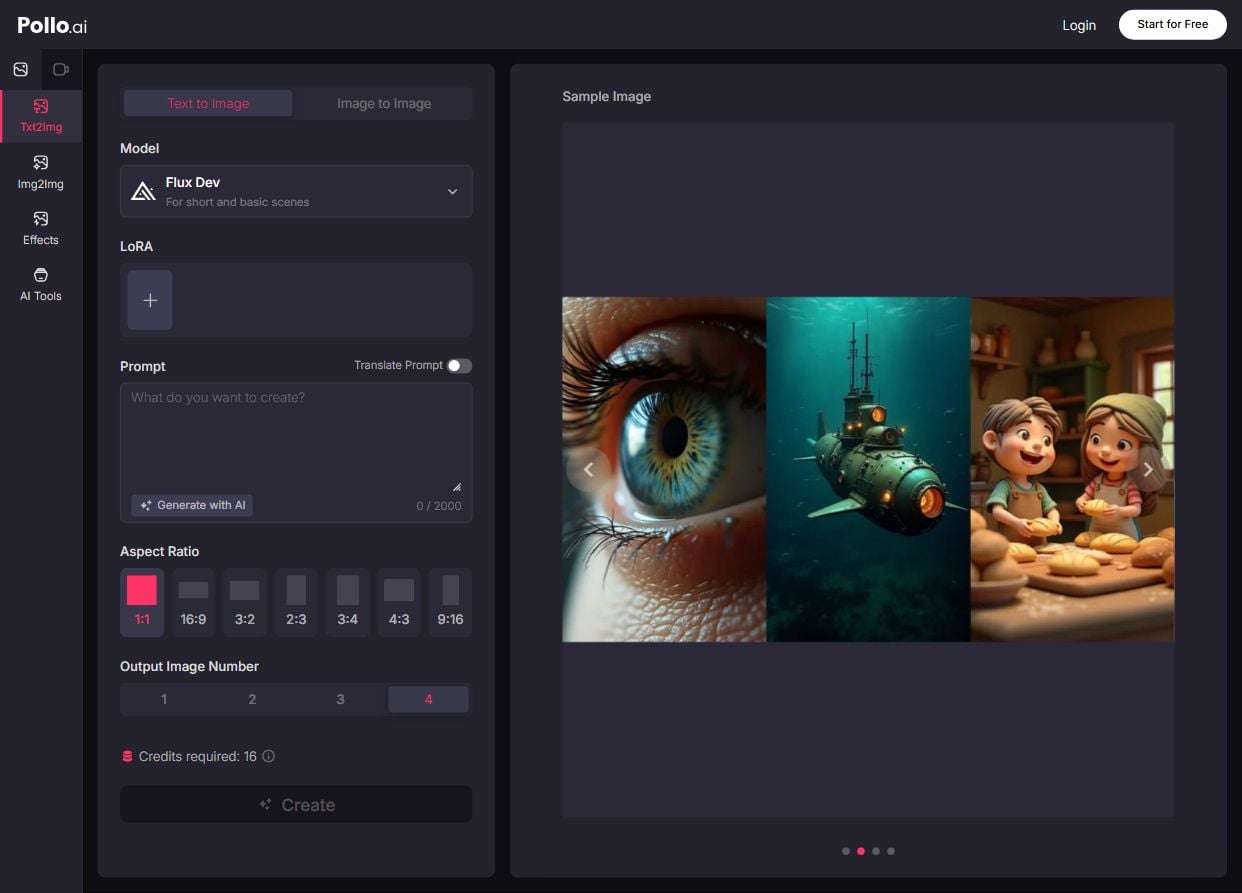
Besides, Van Gogh Studio’s image generator is more open-ended than Craiyon’s. It integrates various AI image models in the same platform, such as Google Nano Banana, GPT-4o, FLUX, Imagen, Recraft, Dall-E, and more, so that I can create images with different AI models.
Our AI image generator also allows you to use LoRAs. When choosing Flux Dev and Flux Dev Lora for your image generation, you can select from 2,000+ LoRAs, combine and adjust them to create images in a specific style or theme.
Additionally, Van Gogh Studio allows you to create images from images. With an easy process, you can create more content with less manual work. It also comes with Van Gogh Studio agent. Van Gogh Studio agent helps turn ideas into ready-to-share videos. It supports multiple formats, including UGC videos for marketing, or story videos for creative ideas.

Conclusion
In conclusion, it’s worth using the Pro version of Craiyon AI image generator if you want to generate hundreds of images at a time based on your prompt. However, you should check the details before putting them into use, as some images may not be in line with the prompt.
And if you're looking for a more versatile and powerful AI image generator, I suggest you give Van Gogh Studio a try!
Create AI videos free
Try Van Gogh Studio free — text-to-video, image-to-video, and 300+ models in one place. Free credits on signup, no credit card required.
Try Free Video Generator


