

I tested CapCut as a short-form AI video editor first — and as a generation suite second. CapCut is excellent at assembling TikToks, Reels, and Shorts with captions, effects, and mobile-friendly timelines. Once I needed multi-model generation, stronger cinematic control, or campaign-ready ads without living inside CapCut’s ecosystem, the limits showed up.
CapCut has scaled into one of the most widely used consumer editors. Industry coverage has cited enormous download growth over recent years — including reporting that put CapCut past 1.3 billion downloads in a two-year window. Popularity does not equal every workflow, though. Below is what held up in real use.
Quick Verdict
CapCut is one of the best free-to-start editors for short social video. For multi-model AI generation, finished marketing workflows, and comparing engines like Kling, Seedance, and Veo in one place, I prefer Van Gogh Studio.
| Review point | My take |
|---|---|
| Best for | Short-form editing, auto captions, templates, mobile cutdowns |
| Not best for | Multi-model generation, long-form polish, brand campaign systems |
| Biggest strength | Fast, intuitive timeline + AI helpers on phone and desktop |
| Biggest weakness | Generation quality and model choice feel narrower than dedicated studios |
| Score | 7.6 / 10 as an editor; 6.4 / 10 as a full AI video studio |
| Better alternative for generation | Van Gogh Studio |
What Is CapCut?
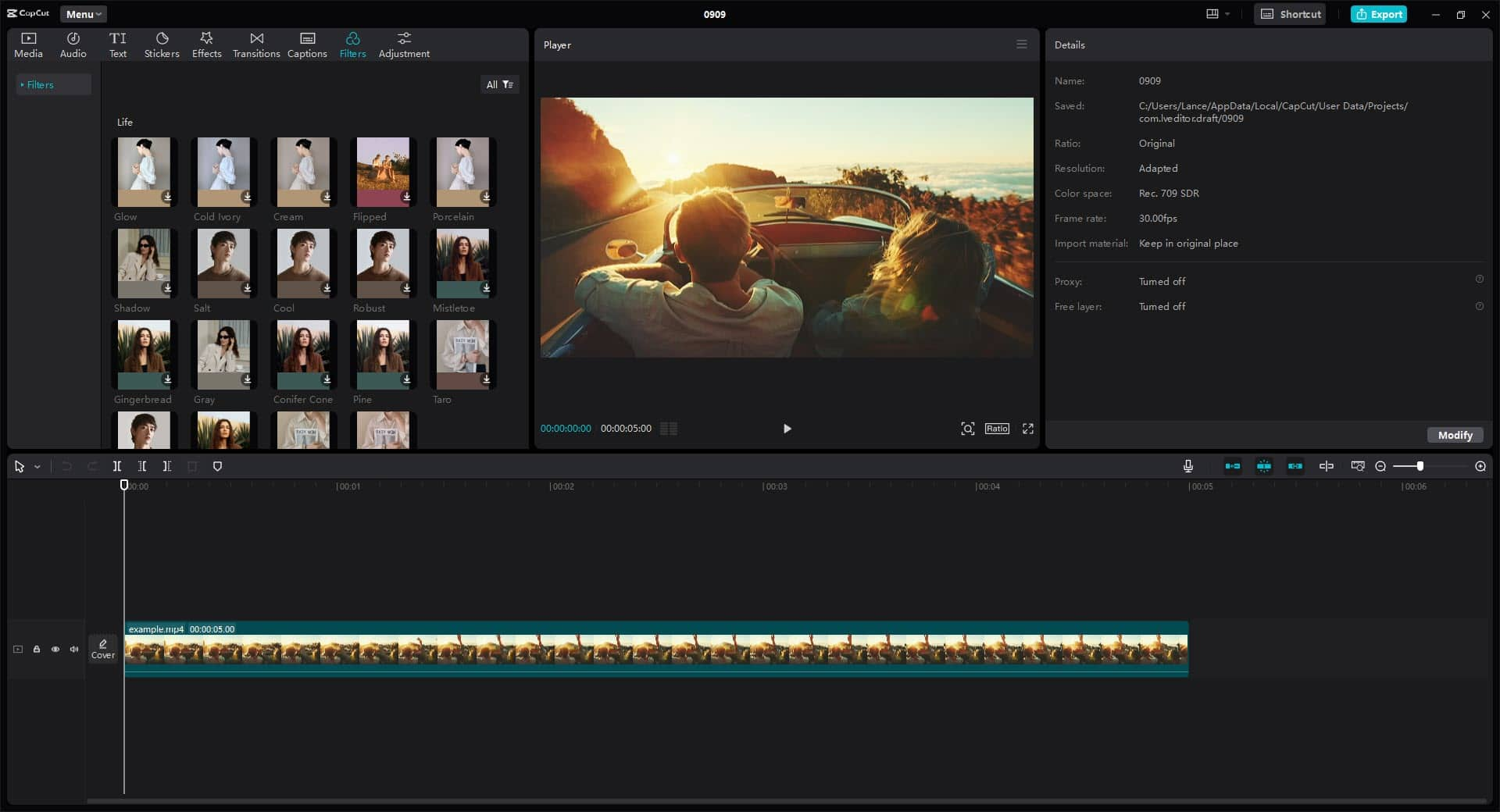
CapCut is ByteDance’s consumer video editor with a growing AI layer. You can cut clips, add captions, apply effects, generate short videos from scripts, and use avatar/voice tools for talking shorts. The mobile app is not a watered-down afterthought — for social creators, it often is the main machine.
I started projects by dropping footage onto a multi-track timeline, adding voiceovers, transitions, captions, and effects. That basic path is still CapCut’s superpower: it removes friction between “I have clips” and “I have a post.”
What I Tested
I focused on the features creators actually open every week:
- Timeline editing + auto captions on vertical clips
- Dreamina / Seedance-powered generation inside CapCut’s ecosystem
- Script-to-video storyboard for avatar shorts
- Pippit-style AI avatars and multilingual voices
- Mobile vs desktop editing parity for quick social cutdowns
For each path I scored speed to first draft, output polish, consistency, and how much finishing I still needed elsewhere.
Dreamina (Seedance under the hood)
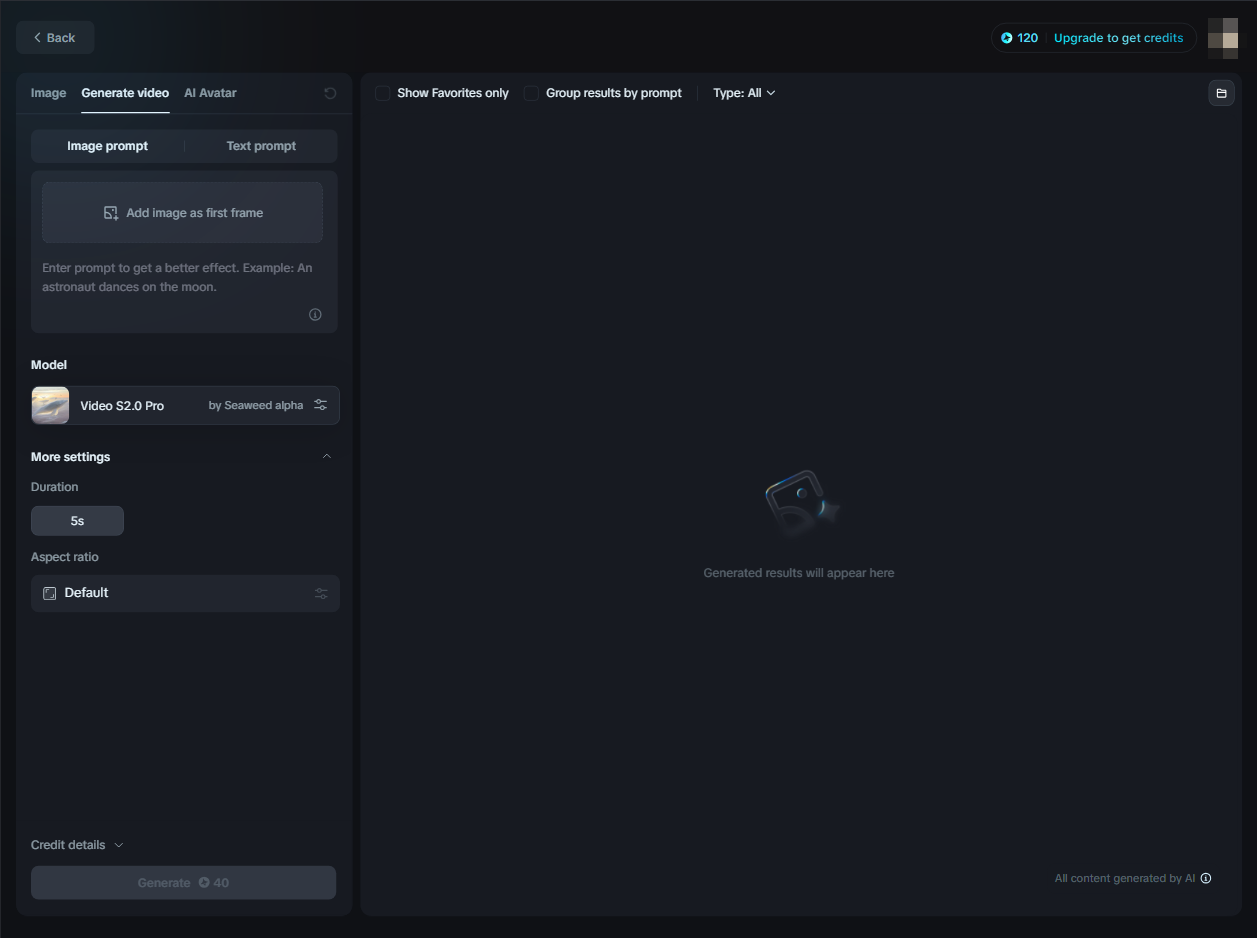
Dreamina’s interface felt familiar if you have used modern text-to-video UIs. Under the hood, generation leans on Seedance-class models. It is approachable, and short clips can look strong for social experiments.
The tradeoff: CapCut’s generation path still feels like “one ecosystem’s model stack,” not a place to A/B Veo vs Kling vs Seedance against the same brief. When model shopping matters, I leave CapCut.
Script-to-Video Storyboard
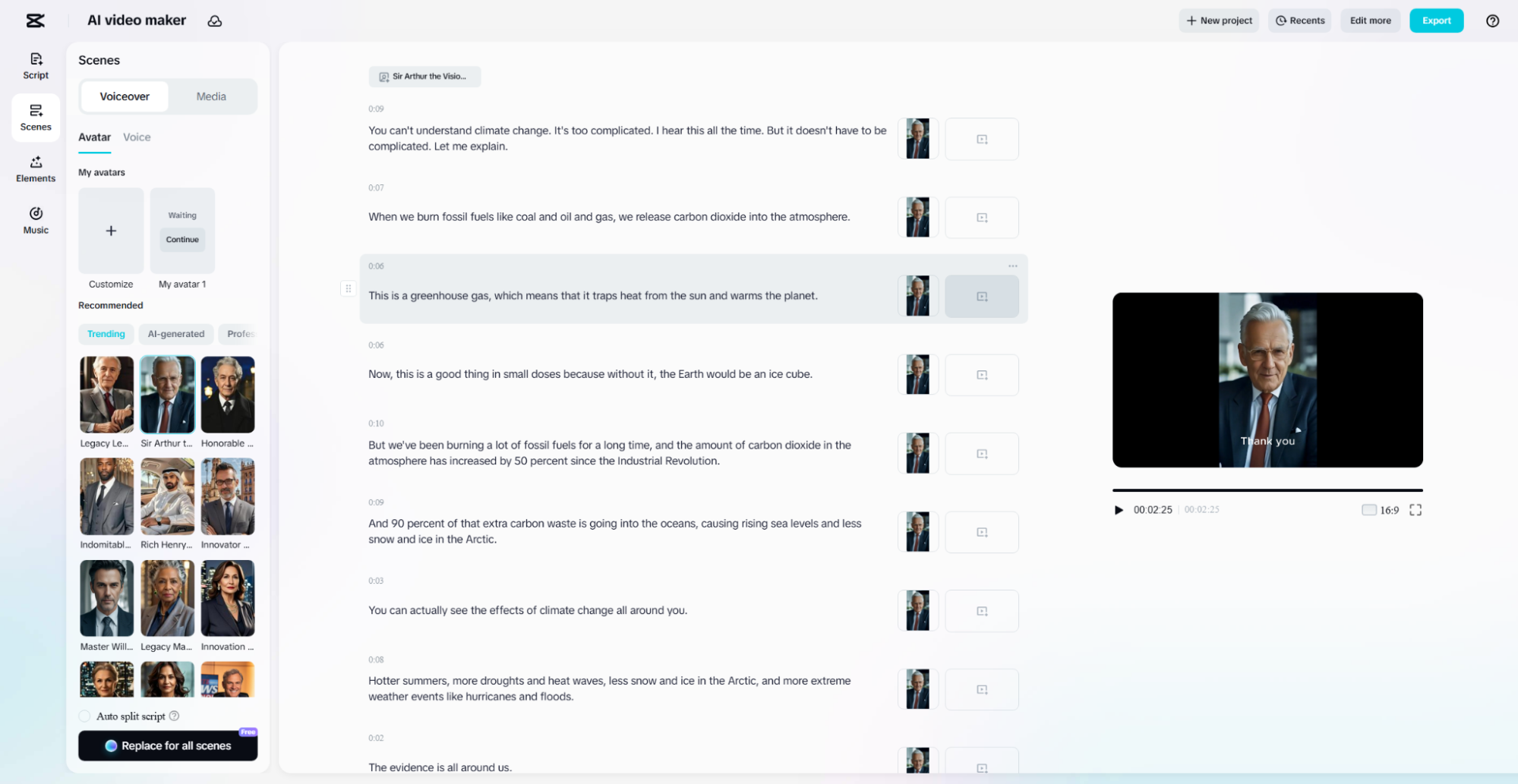
CapCut can turn a script into a short with avatar and scene suggestions. I fed it a ~500-word script and got a multi-minute talking video with speech animation that stayed mostly on beat. Timing between visuals and voiceovers was better than many one-click tools.
Prompt-style brief I used: product explainer for a productivity app — problem → demo → CTA, conversational tone, 60–90 seconds.
What worked: coherent scene order, usable first draft, easy add-ons for text and music inside CapCut.
What struggled: projects longer than ~10 minutes felt heavier; multi-layer timelines could lag. Treat script-to-video as a short-form accelerator, not a documentary pipeline.
Pippit AI Avatars and Voices
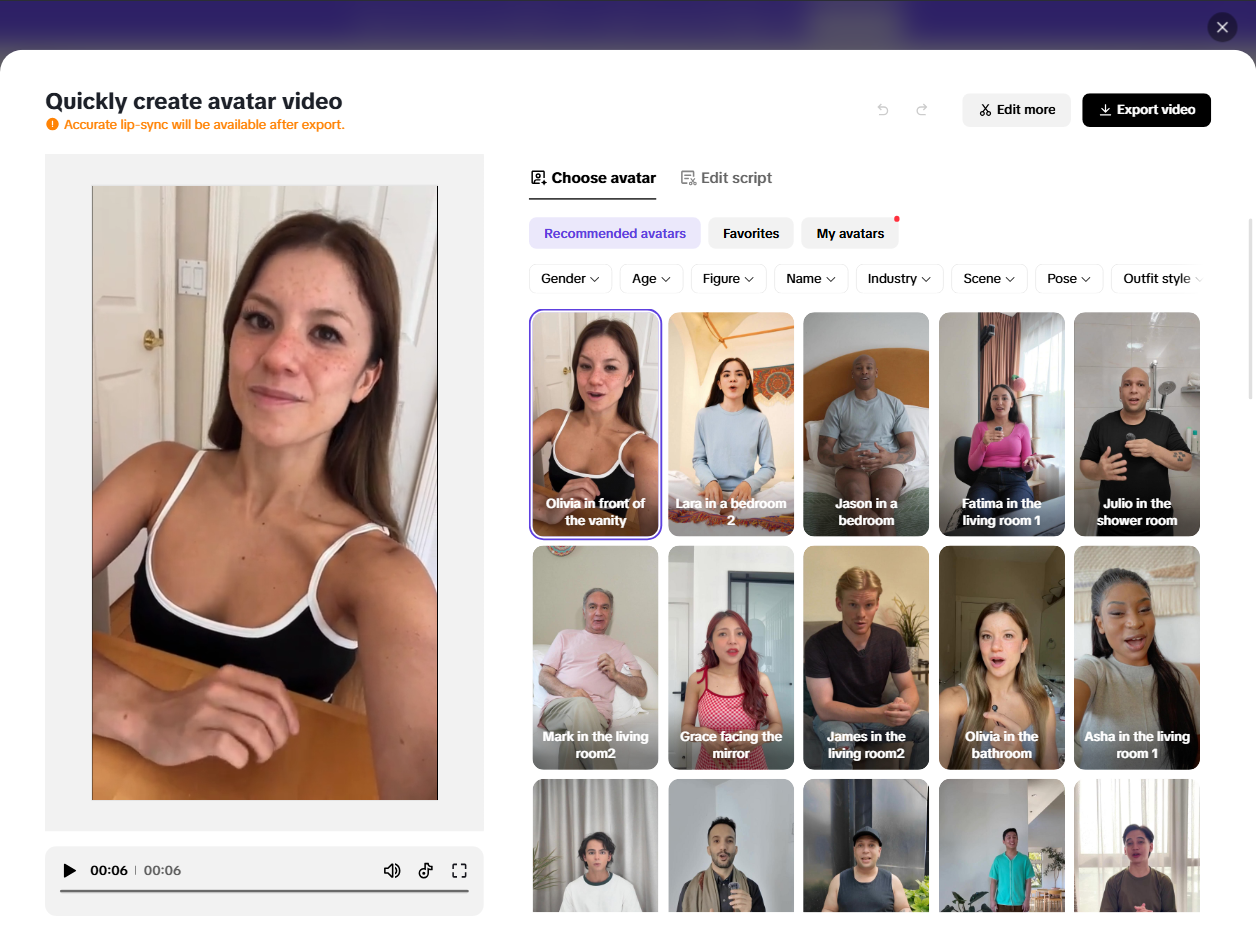
Pippit-style avatars solve the “I need a person on camera but I do not want to film” problem. CapCut offers a wide range of looks and languages, with lip-sync that was good enough for many social explainers. For product shorts and multilingual reach, that is genuinely useful.
Avatars still look like avatars. For premium brand ads or high-trust UGC, I would rather generate stronger base footage elsewhere and finish with clearer messaging tools — or use a dedicated UGC / ad workflow.
Pros and Cons
| Pros | Cons |
|---|---|
| Excellent short-form editing UX on mobile and desktop | Generation is less flexible than multi-model studios |
| Strong auto captions, templates, and effects | Long timelines can lag under heavy layers |
| Script-to-video and avatars speed faceless shorts | Avatar/product consistency still needs human review |
| Free tier is enough to learn and ship social drafts | Export/plan limits can bite power users |
| Tight fit for TikTok / Reels / Shorts creators | Weaker as an end-to-end cinematic or ad production suite |
Performance by Use Case
| Use case | Performance | Notes |
|---|---|---|
| TikTok / Reels cutdowns | Excellent | Captions, effects, and mobile editing shine |
| Scripted avatar shorts | Good | Fast drafts; polish voice and visuals before ads |
| Product demos from footage | Good | Timeline tools beat pure generators for filmed clips |
| Text-to-video cinematic | Mixed | Dreamina helps; model choice is limited |
| Multi-model A/B testing | Weak | Better in Van Gogh Studio |
| Marketing video ads | Mixed | Fine ingredients; campaign structure is on you |
Why Van Gogh Studio Is a Stronger CapCut Alternative for Generation

CapCut wins when you already have footage and need a fast social edit. Van Gogh Studio wins when the brief starts as an idea, image, or URL and you need generation plus finishing.
Multi-model generation in one workspace
Instead of staying inside one proprietary stack, Van Gogh Studio lets you generate with models such as Veo, Kling, and Seedance, then compare outputs on the same creative brief.
From clip to campaign

CapCut gives you editor muscle. Van Gogh Studio adds AI Video Studio, text / image to video, video effects, UGC ad video, and Agent for structured pacing, visuals, and audio — closer to publish-ready marketing content.
Practical split I recommend
- Use CapCut when you are cutting filmed vertical content and need captions/effects fast.
- Use Van Gogh Studio when you need AI generation, model comparison, or ad-ready workflows without rebuilding the pipeline in three apps.
Try Van Gogh Studio if you want generation and finishing in one place.
Final Verdict
CapCut remains an outstanding AI-assisted editor for short social video. The UI is friendly, mobile editing is serious, and tools like script-to-video and avatars help creators ship without a crew.
Its ceiling is clearer when you treat it as a full AI video studio. Model variety, cinematic control, and campaign assembly are not CapCut’s strongest story. For those jobs, Van Gogh Studio is the better CapCut alternative — especially for creators and marketers who need finished content, not only a polished timeline.
FAQs
Is CapCut good for beginners?
Yes. CapCut is one of the easiest editors for TikToks, Reels, and Shorts, with templates and auto captions that flatten the learning curve.
Is CapCut free?
CapCut has a generous free tier. Pro features, exports, and some AI tools may require a paid plan depending on region and current packaging.
Can CapCut replace an AI video generator?
Partially. Dreamina and related tools generate clips, but CapCut is still strongest as an editor. For multi-model generation, use a studio like Van Gogh Studio.
CapCut vs Van Gogh Studio — which should I use?
Use CapCut to edit footage you already have. Use Van Gogh Studio to generate, compare models, and finish ads or social videos from prompts and images.
Does CapCut work well on mobile?
Yes. Mobile parity is one of CapCut’s biggest advantages for creators who cut on phones between shoots.
Create AI videos free
Try Van Gogh Studio free — text-to-video, image-to-video, and 300+ models in one place. Free credits on signup, no credit card required.
Try Free Video Generator


