

I tested Akool to see whether it really helps marketing teams create presenter videos, localized clips, face swaps, and personalized assets without a full production setup.
In this Akool review, I’ll share what it does well, where it feels limited, who it fits best, and why I would choose Van Gogh Studio when I need a broader path from idea to publish-ready video.
Quick Verdict
Akool is a useful AI marketing tool if your main goal is focused video assets: AI avatar explainers, translated clips with lip sync, face swap variants, and short personalized messages. It helps you create or adapt those assets without filming every version from scratch.
It is a weaker choice when you need full campaign production, cinematic scenes, UGC-style ads at scale, or deeper creative control. Outputs often still need review for realism, tone, and brand consistency. For a fuller production workflow, I prefer Van Gogh Studio.
| Review Point | My Take |
|---|---|
| Best for | Avatar explainers, localization, face swap tests, personalized clips |
| Not best for | Full ad campaigns, cinematic storytelling, or end-to-end publishing |
| Strongest feature | Focused marketing assets: avatars, translation, and face swap |
| Biggest limitation | Strong for single assets; weak as a complete campaign system |
| Learning curve | Easy when the script or source video is already clear |
| My verdict | Solid for focused AI video assets; limited as a full studio |
What Is Akool?
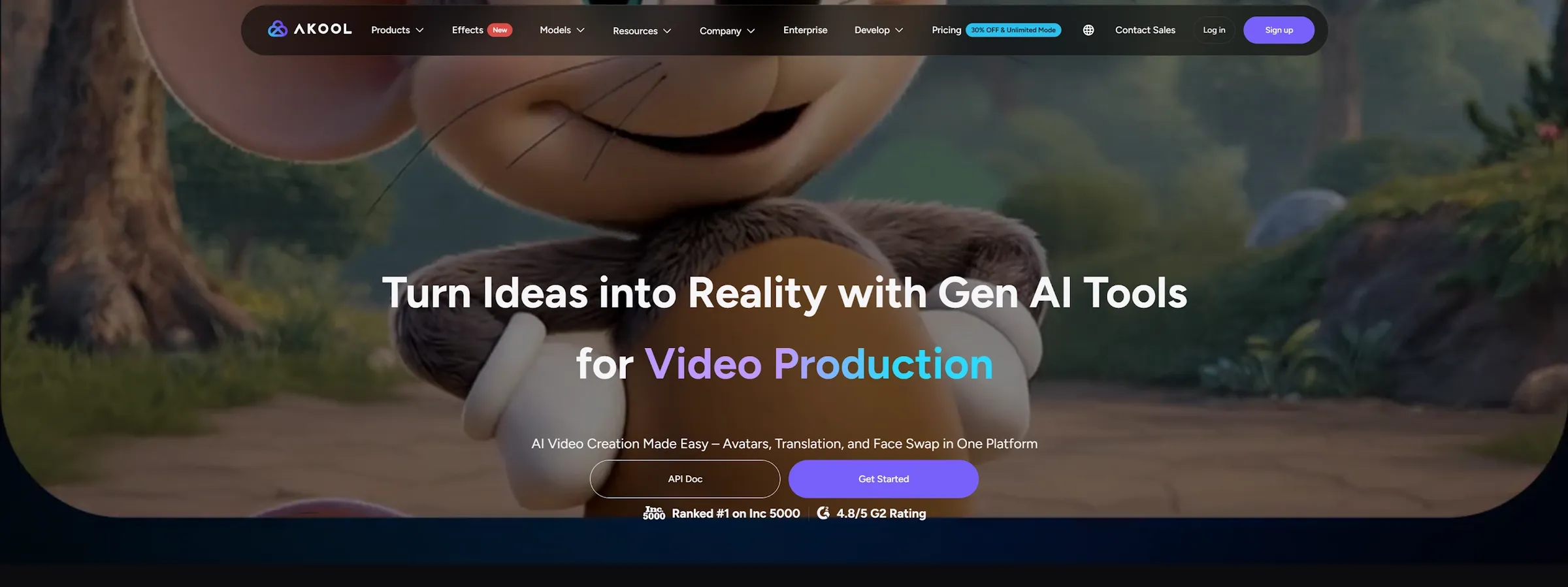
Akool is an AI marketing platform built for teams that want video content without cameras, actors, or long editing timelines. Its homepage positions it around avatars, translation, and face swap in one place — and that matches how the product feels in practice.
Instead of starting from a blank editing project, you use Akool for common marketing tasks: create a presenter video, translate an existing clip, swap a face, or generate a personalized message for a specific audience.
That makes Akool different from an open-ended AI video generator. It is less about inventing cinematic scenes from a prompt and more about adapting a clear message into reusable video formats.
Key Features I Reviewed
Akool’s feature set is organized around marketing assets, not full creative filmmaking.
AI Avatars

Akool’s avatar feature is one of its strongest practical use cases. It helps you create presenter-style videos without booking a shoot — useful for product explainers, training clips, course intros, onboarding videos, and simple brand messages.
It worked best with short scripts and clear talking points. When the avatar had one job, such as explaining a feature or introducing a product, the result felt easier to use.
The limit is emotional depth. For simple messages, that is acceptable. For high-trust brand storytelling, I would review facial expression, pauses, and body movement carefully before publishing.
Video Translation and Lip Sync
Akool’s video translation feature is useful when you need to adapt one video for different language audiences. This helps with training content, product explainers, course clips, founder messages, and global social posts.
The value is practical: you can reuse an existing video instead of filming a new version for every market. Lip sync also makes translated clips feel more natural than a basic voiceover swap.
Still, I would not publish without review. A translated video can sound fluent but miss the original tone, and lip sync can weaken when the speaker moves quickly or uses strong facial motion. For a standalone narration option, see our text to speech tool.
Face Swap
Akool’s face swap feature is useful for creative tests, personalized clips, and visual variants. Teams can explore different campaign looks without filming every version from scratch.
Clean lighting, front-facing subjects, and simple movement produced the most believable results. Fast head turns or changing light needed more review. For brand work, consent and clear context are not optional — face swap should never create confusion about who actually appeared in a video.
Personalized Marketing Videos
Akool is most useful when the marketing message is specific: a localized intro, a short sales outreach clip, or a presenter-style asset without a studio setup.
This is where it feels more useful than a general video generator. It helps adapt a message for a person, audience, or market, rather than only creating a visually interesting clip.
The limitation is that it still produces assets, not a full campaign system. You still need the strategy, script, offer, creative angle, and review process. For more direct ad workflows, UGC ad video or link to video paths may fit better.
Pros and Cons
What I Liked
- Strong fit for avatar-based explainers and spokesperson clips
- Useful video localization with lip sync for multi-market reuse
- Helpful face swap tools for creative variants and tests
- Practical for personalized outreach and short marketing messages
- Easier than filming every language or presenter version from scratch
What Held It Back
- Avatars can still feel slightly controlled in expression and movement
- Translated tone and lip sync need careful review before publishing
- Complex motion reduces realism in face swap outputs
- Not a complete campaign production or editing system
- Brand-sensitive content still depends on strong inputs and human checks
Create Full Videos with Van Gogh Studio Free
Where Akool Falls Short
Akool’s limits show up when you need perfect realism, deep creative control, or a complete marketing workflow.
The Output Still Needs Review
Akool can create strong first drafts, but the first version is not always final. Avatar videos, translated clips, and face swaps all need quality checks.
A mouth movement may feel slightly off. A voice may miss the right emotion. A face swap may look fine in one frame and weaker during motion. That is acceptable for internal drafts; it matters for brand-facing content.
Input Quality Still Matters
Akool feels easier than traditional production, but your input still shapes the result. A clear script, clean source video, strong lighting, and simple movement all help the output look more believable.
A noisy clip, poor lighting, or awkward face angle makes the final video harder to trust. The learning curve is not only about using the tool — it is about preparing usable source material.
It Is Not a Full Marketing Workflow
Akool is useful for individual video assets. A real campaign usually needs more than one avatar video or one translated clip: hooks, product motion, platform-specific formats, voiceovers, variations, and performance-focused angles.
That is where Van Gogh Studio feels stronger. It covers more of the marketing content workflow in one place — from generation and avatars to ads, editing, and publish-ready structure.
Real Use Cases
| Use Case | My Take |
|---|---|
| Avatar explainer videos | Strong fit — best for short scripts and clear messages |
| Video translation | Useful for localization, but tone and lip sync need checking |
| Face swap videos | Good for creative tests; complex motion needs review |
| Personalized outreach | Useful for sales and audience-specific messages |
| Social media content | Solid for quick variants and creator experiments |
| Product marketing | Helpful for simple promos, not enough for full campaigns |
| Instructional videos | Decent fit when the script is clear and the format is simple |
Akool vs Van Gogh Studio
| Dimension | Akool | Van Gogh Studio |
|---|---|---|
| Main workflow | Focused AI marketing assets | Full AI video generation, editing, and publish-ready workflows |
| Avatar video | Strong for presenter-style clips | Available via AI avatar, plus broader surrounding tools |
| Localization | Video translation and lip sync are core strengths | Useful audio and avatar tools inside a wider production stack |
| Face swap / variants | Built-in creative testing tool | Broader creative range across ads, scenes, and campaign formats |
| Marketing output | Strong for single assets | Stronger with UGC ad video and campaign-ready workflows |
| Editing flexibility | Limited beyond asset generation | Stronger follow-up refinement with the AI video editor |
| Best fit | Teams that need focused avatars, translations, and variants | Creators and marketers who need finished AI videos, not only assets |
Why Van Gogh Studio Is a Better Akool Alternative

Akool is useful for focused marketing assets. Van Gogh Studio is stronger when I want an AI creative suite that can support many video styles, editing, talking avatars, and audio in one place.
Avatar Videos Inside a Full Production Flow

With Van Gogh Studio’s AI avatar video generator, I can turn one photo into a lip-synced talking avatar with natural expressions and gestures — without filming or long avatar training.
The difference is context. I do not want the avatar to be the whole workflow. After the presenter clip is ready, I can keep building the video with text-to-video scenes, product motion, captions, and prompt-based edits instead of stopping at a talking head.
Create Avatar Videos with Van Gogh Studio Free
Post-Ready Videos With Van Gogh Studio Agent

Van Gogh Studio Agent gives a stronger end-to-end production advantage. Instead of only generating separate assets, it is designed to create structured, production-ready videos with less manual editing.
I can start from an idea, text, image, or URL, and the Agent can help handle structure, pacing, visuals, and sound. That makes it more suitable when I want a finished result instead of a basic generated clip that still needs assembly.
Create Videos with Van Gogh Studio Agent
Broader AI Video Generation, Not Only Marketing Assets
Van Gogh Studio gives me more starting points: text to video for concepting, image to video for product stills, and multi-model access when I want different motion styles. Models such as Veo 3.1, Kling 3.0, and Seedance 2.5 matter when one look is not enough.
Stronger Marketing and Commerce Workflows
For ads, launches, and product promos, I need hooks, variations, pacing, and channel-ready formats. Van Gogh Studio’s marketing and product-video workflows are built for that campaign output, not just one presenter or translated message. URL-to-video and photo-to-video paths also help teams move from assets to ads faster via link to video and UGC ad video.
Final Verdict: Is Akool Worth Using?
Akool is worth trying if you want AI avatars, video translation, face swaps, or personalized marketing videos without filming every version. It is strongest when the task is clear and the input is clean.
Creative and campaign range is the main issue. Akool is not a full production system. Outputs still need review, and the best results depend on strong scripts, clean source videos, and clear creative direction.
For a broader AI video workflow, I would choose Van Gogh Studio. It combines AI avatar creation with multi-model video generation, editing, Agent-led publish-ready workflows, and campaign tools in one place — so you can explain, localize, sell, and create without switching platforms.
Akool Review FAQs
Is Akool good for marketing videos?
Yes for focused assets such as avatar explainers, localized clips, and personalized messages. It is less ideal if you need full campaign production with hooks, variations, and publish-ready ad systems.
Does Akool support video translation and lip sync?
Yes. Translation and lip sync are core strengths for reusing one video across language markets. I still recommend reviewing tone and mouth sync before publishing brand-facing content.
What is the biggest drawback of Akool?
For me, the biggest drawback is that Akool stays strong at single assets but weak as a complete campaign workflow. Realism checks and creative strategy still fall largely on the user.
What is the best Akool alternative?
If you want avatar videos plus a complete AI video workflow, Van Gogh Studio is the better alternative. It covers AI avatar, multi-model video generation, editing, UGC ads, and longer story videos in one workspace.
Create AI videos free
Try Van Gogh Studio free — text-to-video, image-to-video, and 300+ models in one place. Free credits on signup, no credit card required.
Try Free Video Generator


