Van Gogh Studio Logo
Van Gogh Studio
8折

繼續你的創作流程

根據你目前的工作,推薦下一步可使用的工具——從這裡無縫銜接。
  • AI 影片工作室

    腳本、配音、匯出一站搞定 — 快速輸出精良影片。

    用文字或圖片生成 AI 影片

    開啟

    AI 影片工作室

  • AI 圖像生成

    描述想法,生成銳利的藝術圖與社交素材。

    根據描述生成新的 AI 圖片

    開啟

    AI 圖像生成

  • 圖像 → 影片

    上傳靜態圖片,AI 賦予自然的動態效果。

    將靜態圖片變成電影感影片

    開啟

    圖像 → 影片

  • 視訊壓縮器

    無需重新上傳到伺服器即可減小檔案大小

    壓縮優化,上傳更快

    開啟

    視訊壓縮器

瀏覽全部免費工具

想要無廣告體驗?升級方案即可。

Van Gogh Studio
Van Gogh Studio

點數與免費規則: Most one-click video effects default to about 80 credits per clip (5s 720p Pixverse-style preset). That is not zero-cost unlimited usage — it is the credit price for one effect render. Sign in to see your balance; earn more credits with check-in and referrals.

Suit Swagger AI Video Effect

Suit Swagger is a dedicated AI video effect on Van Gogh Studio. Style and scene templates that re-light, re-grade, or re-stage your photo without a full manual edit pass. Upload one clear photo, sign in to load the studio prompt, and generate a short clip you can download or share.

Creators use Suit Swagger for ad storyboards when they need a recognizable visual hook without rebuilding the scene in a traditional editor.

Typical output is a few seconds at social resolution. Most one-click video effects default to about 80 credits per clip (5s 720p Pixverse-style preset). That is not zero-cost unlimited usage — it is the credit price for one effect render. Sign in to see your balance; earn more credits with check-in and referrals.

之前

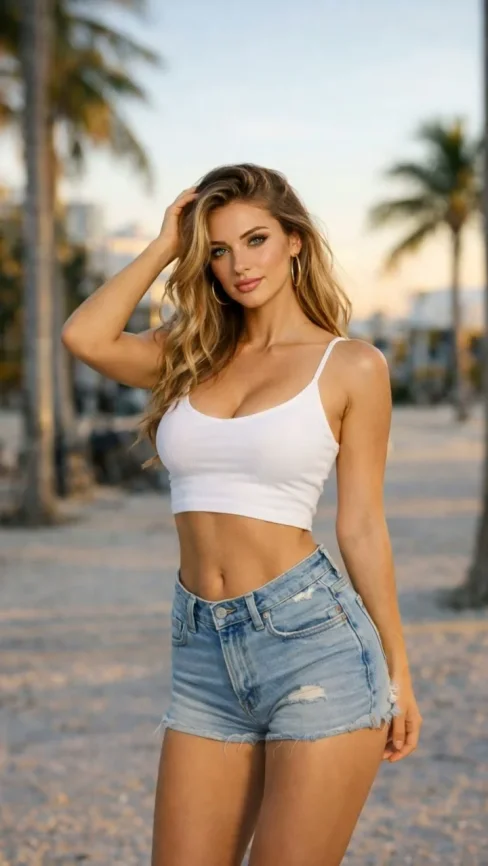
A static portrait or product photo with neutral lighting.

之後

A Suit Swagger stylized clip with motion, VFX, and pacing matched to the template.

所需輸入

  • One subject photo (JPEG/PNG/WebP)
  • Signed-in session to load the protected effect prompt
  • Aspect ratio chosen in the video studio before export
Try this effect

常見問題

What does Suit Swagger do on Van Gogh Studio?
Suit Swagger is a focused workflow on Van Gogh Studio: upload or describe your input, preview settings, then generate. Output is optimized for short-form social posts. Most one-click video effects default to about 80 credits per clip (5s 720p Pixverse-style preset). That is not zero-cost unlimited usage — it is the credit price for one effect render. Sign in to see your balance; earn more credits with check-in and referrals.
Is Van Gogh Studio free to use?
No. Van Gogh Studio uses credits — free accounts start with 0 signup credits and can earn more via check-in, spin, and referrals. Each generation spends credits; the price is shown before you confirm.
How do I try it once?
Sign in (or create a free account), open the tool on this page, and run one generation. Free accounts are limited to one combined video/image generation per UTC day, but you still see credit cost upfront.
What file formats are supported?
Most image workflows accept JPEG, PNG, or WebP up to the limit shown in the uploader. Video exports depend on the model you pick; common outputs include MP4 suitable for social platforms.
Can I use results commercially?
Commercial use requires a paid plan. You keep ownership of outputs you generate; upgrade when you need watermark-free exports, higher volume, or client delivery rights.
Why do effects show about 80 credits?
The default Pixverse-style effect preset (about 5 seconds at 720p) is priced around 80 credits per render. Heavier models or longer clips cost more; the UI always shows credits before you generate.
Do I need editing experience?
No timeline skills are required. Describe the scene or upload a photo, adjust a few controls, and download the result. Advanced users can chain outputs into longer projects elsewhere.
How long does generation take?
Most clips finish in a few minutes depending on queue and model load. Progress is shown in the studio; you can leave the tab open while rendering completes.
影片特效
西装范儿

西装范儿

點擊更換特效

點擊上傳

JPG, PNG, WebP (Max 10MB)

上傳圖片並點擊生成來創建影片