Van Gogh Studio logosu
Van Gogh Studio
%20

Yaratıcı iş akışınıza devam edin

Üzerinde çalıştığınız konuya göre önerilen sonraki adımlar — bu aracın bıraktığı yerden devam edin.

  • AI Video Stüdyosu

    Senaryo, seslendirme ve dışa aktarma tek yerde — hızlı videolar üretin.

    Metin veya görsellerden AI video oluşturun

    Aç

    AI Video Stüdyosu

  • AI Görsel Üretici

    Vizyonunu anlat, keskin sanat eserleri ve sosyal görseller elde et.

    Açıklamanızdan yeni görseller oluşturun

    Aç

    AI Görsel Üretici

  • Görsel → Video

    Sabit bir fotoğraf yükle, AI ona doğal hareket katar.

    Sabit görselleri sinematik videoya dönüştürün

    Aç

    Görsel → Video

  • Video Sıkıştırıcı

    Dosyayı sunucuya yeniden yüklemeden dosya depolamayı küçültün.

    Yükleme için sıkıştırın ve optimize edin

    Aç

    Video Sıkıştırıcı

Tüm ücretsiz araçlara göz at

Reklamsız deneyim mi istiyorsunuz? Planınızı yükseltin.

Van Gogh Studio
Van Gogh Studio

Krediler ve ücretsiz plan: Most one-click video effects default to about 80 credits per clip (5s 720p Pixverse-style preset). That is not zero-cost unlimited usage — it is the credit price for one effect render. Sign in to see your balance; earn more credits with check-in and referrals.

Tree Doll AI Video Effect

Tree Doll is a dedicated AI video effect on Van Gogh Studio. Style and scene templates that re-light, re-grade, or re-stage your photo without a full manual edit pass. Upload one clear photo, sign in to load the studio prompt, and generate a short clip you can download or share.

Because the preset ships with reference stills, you can match lighting and wardrobe quickly; swap your own photo while keeping the same motion recipe.

Typical output is a few seconds at social resolution. Most one-click video effects default to about 80 credits per clip (5s 720p Pixverse-style preset). That is not zero-cost unlimited usage — it is the credit price for one effect render. Sign in to see your balance; earn more credits with check-in and referrals.

Önce

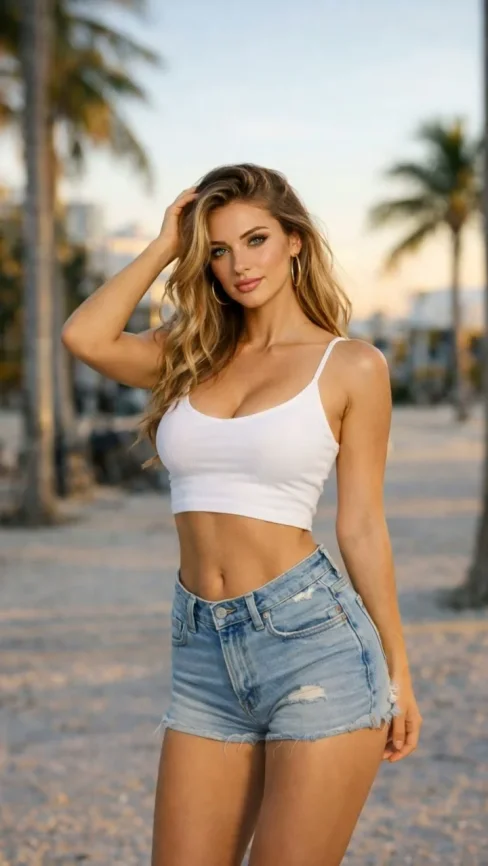
A static portrait or product photo with neutral lighting.

Sonra

A Tree Doll stylized clip with motion, VFX, and pacing matched to the template.

Girdiler

  • One subject photo (JPEG/PNG/WebP)
  • Signed-in session to load the protected effect prompt
  • Aspect ratio chosen in the video studio before export
Try this effect

Sık sorulan sorular

What does Tree Doll do on Van Gogh Studio?
Tree Doll is a focused workflow on Van Gogh Studio: upload or describe your input, preview settings, then generate. Output is optimized for educational explainers. Most one-click video effects default to about 80 credits per clip (5s 720p Pixverse-style preset). That is not zero-cost unlimited usage — it is the credit price for one effect render. Sign in to see your balance; earn more credits with check-in and referrals.
Is Van Gogh Studio free to use?
No. Van Gogh Studio uses credits — free accounts start with 0 signup credits and can earn more via check-in, spin, and referrals. Each generation spends credits; the price is shown before you confirm.
How do I try it once?
Sign in (or create a free account), open the tool on this page, and run one generation. Free accounts are limited to one combined video/image generation per UTC day, but you still see credit cost upfront.
What file formats are supported?
Most image workflows accept JPEG, PNG, or WebP up to the limit shown in the uploader. Video exports depend on the model you pick; common outputs include MP4 suitable for social platforms.
Can I use results commercially?
Commercial use requires a paid plan. You keep ownership of outputs you generate; upgrade when you need watermark-free exports, higher volume, or client delivery rights.
Why do effects show about 80 credits?
The default Pixverse-style effect preset (about 5 seconds at 720p) is priced around 80 credits per render. Heavier models or longer clips cost more; the UI always shows credits before you generate.
Do I need editing experience?
No timeline skills are required. Describe the scene or upload a photo, adjust a few controls, and download the result. Advanced users can chain outputs into longer projects elsewhere.
How long does generation take?
Most clips finish in a few minutes depending on queue and model load. Progress is shown in the studio; you can leave the tab open while rendering completes.
Video Efektleri
Ağaç bebeği

Ağaç bebeği

Değiştirmek için tıkla

Yüklemek için tıkla

JPG, PNG, WebP (Max 10MB)

Görsel yükleyin ve video oluşturmak için Oluştur'a tıklayın