Van Gogh Studio-logo
Van Gogh Studio
20%

Ga door met uw creatieve workflow

Aanbevolen volgende stappen op basis van waar u aan werkt: ga verder waar deze tool ophoudt.

  • AI-videostudio

    Script, voice-over en export op één plek — snel video's produceren.

    Genereer AI-video's van tekst of afbeeldingen

    Openen

    AI-videostudio

  • AI-afbeeldingsgenerator

    Beschrijf je visie en ontvang scherpe kunst & social visuals.

    Genereer nieuwe beelden op basis van je beschrijving

    Openen

    AI-afbeeldingsgenerator

  • Afbeelding → Video

    Upload een stilstaand beeld, AI geeft het natuurlijke beweging.

    Zet stilstaande beelden om in filmische video

    Openen

    Afbeelding → Video

  • Videocompressor

    Verklein de bestandsgrootte zonder opnieuw naar een server te uploaden.

    Comprimeren en optimaliseren voor uploaden

    Openen

    Videocompressor

Bekijk alle gratis tools

Wilt u een advertentievrije ervaring? Upgrade uw abonnement.

Van Gogh Studio
Van Gogh Studio

Credits en gratis gebruik: Most one-click video effects default to about 80 credits per clip (5s 720p Pixverse-style preset). That is not zero-cost unlimited usage — it is the credit price for one effect render. Sign in to see your balance; earn more credits with check-in and referrals.

90s Me AI Video Effect

90s Me is a dedicated AI video effect on Van Gogh Studio. Style and scene templates that re-light, re-grade, or re-stage your photo without a full manual edit pass. Upload one clear photo, sign in to load the studio prompt, and generate a short clip you can download or share.

The effect is tuned for portrait-friendly framing — keep the face or product centered, avoid heavy motion blur in the source photo, and write a short note if you need a specific mood.

Typical output is a few seconds at social resolution. Most one-click video effects default to about 80 credits per clip (5s 720p Pixverse-style preset). That is not zero-cost unlimited usage — it is the credit price for one effect render. Sign in to see your balance; earn more credits with check-in and referrals.

Voor

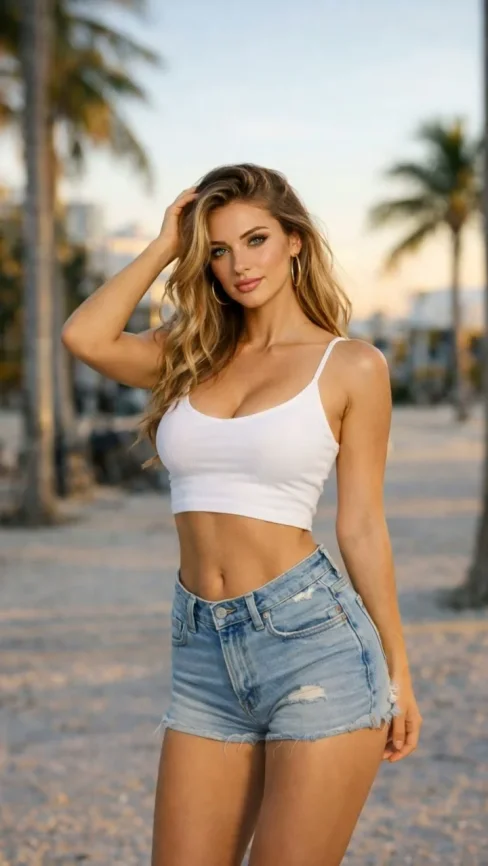

A static portrait or product photo with neutral lighting.

Na

A 90s Me stylized clip with motion, VFX, and pacing matched to the template.

Invoer

  • One subject photo (JPEG/PNG/WebP)
  • Signed-in session to load the protected effect prompt
  • Aspect ratio chosen in the video studio before export
Try this effect

Veelgestelde vragen

What does 90s Me do on Van Gogh Studio?
90s Me is a focused workflow on Van Gogh Studio: upload or describe your input, preview settings, then generate. Output is optimized for product launch teasers. Most one-click video effects default to about 80 credits per clip (5s 720p Pixverse-style preset). That is not zero-cost unlimited usage — it is the credit price for one effect render. Sign in to see your balance; earn more credits with check-in and referrals.
Is Van Gogh Studio free to use?
No. Van Gogh Studio uses credits — free accounts start with 0 signup credits and can earn more via check-in, spin, and referrals. Each generation spends credits; the price is shown before you confirm.
How do I try it once?
Sign in (or create a free account), open the tool on this page, and run one generation. Free accounts are limited to one combined video/image generation per UTC day, but you still see credit cost upfront.
What file formats are supported?
Most image workflows accept JPEG, PNG, or WebP up to the limit shown in the uploader. Video exports depend on the model you pick; common outputs include MP4 suitable for social platforms.
Can I use results commercially?
Commercial use requires a paid plan. You keep ownership of outputs you generate; upgrade when you need watermark-free exports, higher volume, or client delivery rights.
Why do effects show about 80 credits?
The default Pixverse-style effect preset (about 5 seconds at 720p) is priced around 80 credits per render. Heavier models or longer clips cost more; the UI always shows credits before you generate.
Do I need editing experience?
No timeline skills are required. Describe the scene or upload a photo, adjust a few controls, and download the result. Advanced users can chain outputs into longer projects elsewhere.
How long does generation take?
Most clips finish in a few minutes depending on queue and model load. Progress is shown in the studio; you can leave the tab open while rendering completes.
Video-effecten
90s Me

90s Me

Klik om te wijzigen

Klik om te uploaden

JPG, PNG, WebP (Max 10MB)

Upload een afbeelding en klik op Genereren om je video te maken