Van Gogh Logo del generatore video gratuito
Van Gogh Studio
-20%

Continua il tuo flusso di lavoro creativo

Passaggi successivi consigliati in base a ciò su cui stai lavorando: riprendi da dove si interrompe questo strumento.

  • Studio Video AI

    Sceneggiatura, voiceover ed esportazione in un unico posto.

    Genera video AI da testo o immagini

    Apri

    Studio Video AI

  • Generatore di Immagini AI

    Descrivi la tua visione e ottieni arte nitida e visual social.

    Genera nuove immagini dalla tua descrizione

    Apri

    Generatore di Immagini AI

  • Immagine → Video

    Carica una foto statica, l'AI le dà movimento naturale.

    Trasforma le immagini fisse in video cinematografici

    Apri

    Immagine → Video

  • Video del compressore

    Riduci le dimensioni del file senza caricarlo nuovamente su un server.

    Comprimi e ottimizza per il caricamento

    Apri

    Video del compressore

Sfoglia tutti gli strumenti gratuiti

Vuoi un'esperienza senza annunci? Aggiorna il tuo piano.

Van Gogh Studio
Van Gogh Studio

Crediti e piano gratuito: Most one-click video effects default to about 80 credits per clip (5s 720p Pixverse-style preset). That is not zero-cost unlimited usage — it is the credit price for one effect render. Sign in to see your balance; earn more credits with check-in and referrals.

Duplicate It AI Video Effect

Duplicate It is a dedicated AI video effect on Van Gogh Studio. Style and scene templates that re-light, re-grade, or re-stage your photo without a full manual edit pass. Upload one clear photo, sign in to load the studio prompt, and generate a short clip you can download or share.

The effect is tuned for portrait-friendly framing — keep the face or product centered, avoid heavy motion blur in the source photo, and write a short note if you need a specific mood.

Typical output is a few seconds at social resolution. Most one-click video effects default to about 80 credits per clip (5s 720p Pixverse-style preset). That is not zero-cost unlimited usage — it is the credit price for one effect render. Sign in to see your balance; earn more credits with check-in and referrals.

Prima

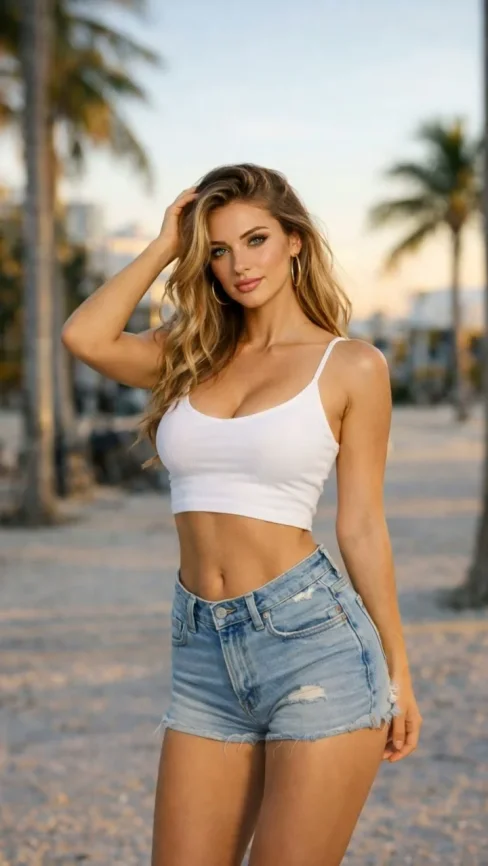

A static portrait or product photo with neutral lighting.

Dopo

A Duplicate It stylized clip with motion, VFX, and pacing matched to the template.

Dati richiesti

  • One subject photo (JPEG/PNG/WebP)
  • Signed-in session to load the protected effect prompt
  • Aspect ratio chosen in the video studio before export
Try this effect

Domande frequenti

What does Duplicate It do on Van Gogh Studio?
Duplicate It is a focused workflow on Van Gogh Studio: upload or describe your input, preview settings, then generate. Output is optimized for newsletter embeds. Most one-click video effects default to about 80 credits per clip (5s 720p Pixverse-style preset). That is not zero-cost unlimited usage — it is the credit price for one effect render. Sign in to see your balance; earn more credits with check-in and referrals.
Is Van Gogh Studio free to use?
No. Van Gogh Studio uses credits — free accounts start with 0 signup credits and can earn more via check-in, spin, and referrals. Each generation spends credits; the price is shown before you confirm.
How do I try it once?
Sign in (or create a free account), open the tool on this page, and run one generation. Free accounts are limited to one combined video/image generation per UTC day, but you still see credit cost upfront.
What file formats are supported?
Most image workflows accept JPEG, PNG, or WebP up to the limit shown in the uploader. Video exports depend on the model you pick; common outputs include MP4 suitable for social platforms.
Can I use results commercially?
Commercial use requires a paid plan. You keep ownership of outputs you generate; upgrade when you need watermark-free exports, higher volume, or client delivery rights.
Why do effects show about 80 credits?
The default Pixverse-style effect preset (about 5 seconds at 720p) is priced around 80 credits per render. Heavier models or longer clips cost more; the UI always shows credits before you generate.
Do I need editing experience?
No timeline skills are required. Describe the scene or upload a photo, adjust a few controls, and download the result. Advanced users can chain outputs into longer projects elsewhere.
How long does generation take?
Most clips finish in a few minutes depending on queue and model load. Progress is shown in the studio; you can leave the tab open while rendering completes.
Effetti Video
Duplicate it

Duplicate it

Clicca per cambiare

Clicca per caricare

JPG, PNG, WebP (Max 10MB)

Carica un'immagine e clicca Genera per creare il tuo video