Van Gogh Logotipo del Generador de vídeos gratuito
Van Gogh Studio
20%

Continúa tu flujo creativo

Siguientes pasos recomendados según lo que estás haciendo.

  • Estudio de Video IA

    Guion, narración y exportación en un solo lugar.

    Genera videos con IA desde texto o imágenes

    Abrir

    Estudio de Video IA

  • Generador de Imagen IA

    Describe tu visión y obtén arte nítido y visuales sociales.

    Genera imágenes nuevas a partir de tu descripción

    Abrir

    Generador de Imagen IA

  • Imagen → Video

    Sube una foto fija y la IA le da movimiento natural.

    Convierte imágenes en video cinematográfico

    Abrir

    Imagen → Video

  • Compresor de vídeo

    Reduzca el tamaño del archivo sin volver a subirlo a un servidor.

    Comprime y optimiza para subir

    Abrir

    Compresor de vídeo

Explorar todas las herramientas gratuitas

¿Quiere una experiencia sin anuncios? Actualice su plan.

Van Gogh Studio
Van Gogh Studio

Créditos y plan gratuito: Most one-click video effects default to about 80 credits per clip (5s 720p Pixverse-style preset). That is not zero-cost unlimited usage — it is the credit price for one effect render. Sign in to see your balance; earn more credits with check-in and referrals.

Mechanical Assembly AI Video Effect

Mechanical Assembly is a dedicated AI video effect on Van Gogh Studio. Style and scene templates that re-light, re-grade, or re-stage your photo without a full manual edit pass. Upload one clear photo, sign in to load the studio prompt, and generate a short clip you can download or share.

Creators use Mechanical Assembly for ad storyboards when they need a recognizable visual hook without rebuilding the scene in a traditional editor.

Typical output is a few seconds at social resolution. Most one-click video effects default to about 80 credits per clip (5s 720p Pixverse-style preset). That is not zero-cost unlimited usage — it is the credit price for one effect render. Sign in to see your balance; earn more credits with check-in and referrals.

Antes

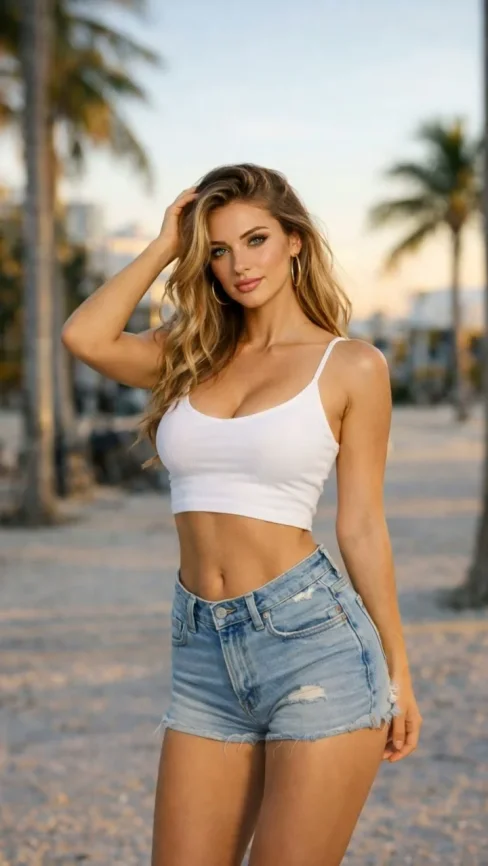
A static portrait or product photo with neutral lighting.

Después

A Mechanical Assembly stylized clip with motion, VFX, and pacing matched to the template.

Datos de entrada

  • One subject photo (JPEG/PNG/WebP)
  • Signed-in session to load the protected effect prompt
  • Aspect ratio chosen in the video studio before export
Try this effect

Preguntas frecuentes

What does Mechanical Assembly do on Van Gogh Studio?
Mechanical Assembly is a focused workflow on Van Gogh Studio: upload or describe your input, preview settings, then generate. Output is optimized for short-form social posts. Most one-click video effects default to about 80 credits per clip (5s 720p Pixverse-style preset). That is not zero-cost unlimited usage — it is the credit price for one effect render. Sign in to see your balance; earn more credits with check-in and referrals.
Is Van Gogh Studio free to use?
No. Van Gogh Studio uses credits — free accounts start with 0 signup credits and can earn more via check-in, spin, and referrals. Each generation spends credits; the price is shown before you confirm.
How do I try it once?
Sign in (or create a free account), open the tool on this page, and run one generation. Free accounts are limited to one combined video/image generation per UTC day, but you still see credit cost upfront.
What file formats are supported?
Most image workflows accept JPEG, PNG, or WebP up to the limit shown in the uploader. Video exports depend on the model you pick; common outputs include MP4 suitable for social platforms.
Can I use results commercially?
Commercial use requires a paid plan. You keep ownership of outputs you generate; upgrade when you need watermark-free exports, higher volume, or client delivery rights.
Why do effects show about 80 credits?
The default Pixverse-style effect preset (about 5 seconds at 720p) is priced around 80 credits per render. Heavier models or longer clips cost more; the UI always shows credits before you generate.
Do I need editing experience?
No timeline skills are required. Describe the scene or upload a photo, adjust a few controls, and download the result. Advanced users can chain outputs into longer projects elsewhere.
How long does generation take?
Most clips finish in a few minutes depending on queue and model load. Progress is shown in the studio; you can leave the tab open while rendering completes.
Efectos de Video
Montaje Mecánico

Montaje Mecánico

Clic para cambiar efecto

Clic para subir

JPG, PNG, WebP (Max 10MB)

Sube una imagen y haz clic en Generar para crear tu video